Building a Gaming PC Entirely from Used Parts: The UK Guide (2026)
Advertisement
You can build a capable gaming PC in the UK in 2026 for under £250 using entirely used parts. Not "mostly used." Not one new GPU dropped into a used chassis. Every single component — motherboard, CPU, RAM, GPU, SSD, case, PSU — sourced from the UK second-hand market. Three complete builds are included in this guide: a £180 budget rig, a £280 mid-range machine, and a £420 performance build capable of 1440p gaming.
An all-used build is fundamentally different from a hybrid build, and it carries a different set of risks. But in 2026, the UK used parts market is deeper and more competitive than it's ever been. Ex-crypto, ex-office, and upgrade-cycle surplus has flooded the market with cheap DDR4, AM4 CPUs, and last-gen GPUs. If you source carefully, the savings are enormous.
Before diving in, read our cheap gaming PC build guide for context on how hybrid builds compare, and our full guide to buying used PC parts safely in the UK to understand the ground rules.
Why All-Used Is Different from Hybrid Builds
In a hybrid build, you buy the risky components new (PSU, SSD) and source the expensive-but-durable parts used (CPU, GPU). One bad component doesn't cascade catastrophically because your PSU is known-good and your storage is fresh.
An all-used build removes that safety net. Every component has unknown history. This changes the build process in three important ways:
- Order matters more. You need to isolate and verify components before committing them to a fully assembled build. A DOA part found after hours of cable management is far more frustrating than one caught at the bench test stage.
- You need to test mid-build. Don't install everything and hope. Boot with CPU, RAM, and GPU first — before adding storage, before cable management, before mounting in the case.
- Compatibility research is non-negotiable. Used parts don't come with compatibility guarantees. Check our PC parts compatibility guide before buying anything.
None of this makes an all-used build undoable — it just makes it a more deliberate process. Done right, you're assembling hardware that cost two to three times what you paid for it.
The Sourcing Strategy: How to Buy All-Used Without Getting Burned
The biggest risk in an all-used build isn't individual component failure — it's buying from a bad seller. Here's the framework that works:
Consolidate sellers where possible
If you find a seller with a motherboard and CPU combo, buy both. If they have RAM too, take it. Fewer transactions mean fewer opportunities for something to go wrong in transit, and sellers who know you're building are often more willing to share detailed condition information.
Platform hierarchy
For all-used builds, use this order of preference:
- Koukan — built for used PC parts in the UK, standardised condition descriptions, focused seller community with a history of accurate listings and buyer protection.
- eBay UK — largest volume, strong Money Back Guarantee for high-value components like GPUs. Always filter to UK sellers only and check completed listings for real sold prices.
- CEX — higher prices but a 24-month warranty on tested hardware. Worth it for a PSU if you're committed to an all-used build.
- Facebook Marketplace — local collection only, which lets you test in person. No protection but often the lowest prices, especially for cases and coolers.
Red flags to walk away from
- GPU listed as "spares or repairs" or "untested" — always ask for a photo of it running before buying
- Motherboard with no photo of the socket — bent pins cost you the whole build plan
- PSU with heavy scoring or burn marks on the cables
- SSD with no SMART data provided and seller unable to share CrystalDiskInfo screenshots
For GPU-specific advice, our used GPU buying guide goes deep on what to check. For motherboards, see our used motherboard buying guide. For SSDs, read our used SSD guide before committing.
Build 1: £180 Budget 1080p Rig
This is the floor of what's achievable in 2026. Every part here is available on the UK used market for under the prices listed, assuming you're patient and willing to check two or three listings before committing. The AM4 platform is perfect for this: boards, CPUs, and RAM are all available in volume because the entire ecosystem has been superseded.
Build 1 — £180 Budget Parts List
Why these parts
The Ryzen 5 3600 is the defining AM4 budget chip of this era. Six cores, twelve threads, and a base clock of 3.6GHz. It was a £180 chip at launch — you can find clean examples for £30–38 in 2026 because the AM5 transition left thousands of them on the market. It pairs perfectly with the B450M Pro4, which is one of the most common boards in the UK used market and almost always available under £35.
The RX 580 8GB is the workhorse GPU of this build. It draws more power than modern equivalents and runs warmer, but at 1080p medium-to-high it still handles virtually every competitive title and most single-player games. At £35–45 used, it's hard to find anything that delivers more frames per pound. It also includes 8GB VRAM, which matters more in 2026 than it did when the card launched.
Expected performance at 1080p
- Fortnite (Performance mode): 120–160 FPS
- Valorant: 200–280 FPS
- CS2 (High): 100–140 FPS
- GTA V (High): 75–95 FPS
- Apex Legends (Medium/High): 80–110 FPS
- Hogwarts Legacy (Medium): 45–60 FPS
1080p medium-to-high at 60fps+ in most games. Competitive titles run above 100fps. Heavy AAA games need medium settings. This is a genuine gaming PC, not a slideshow.
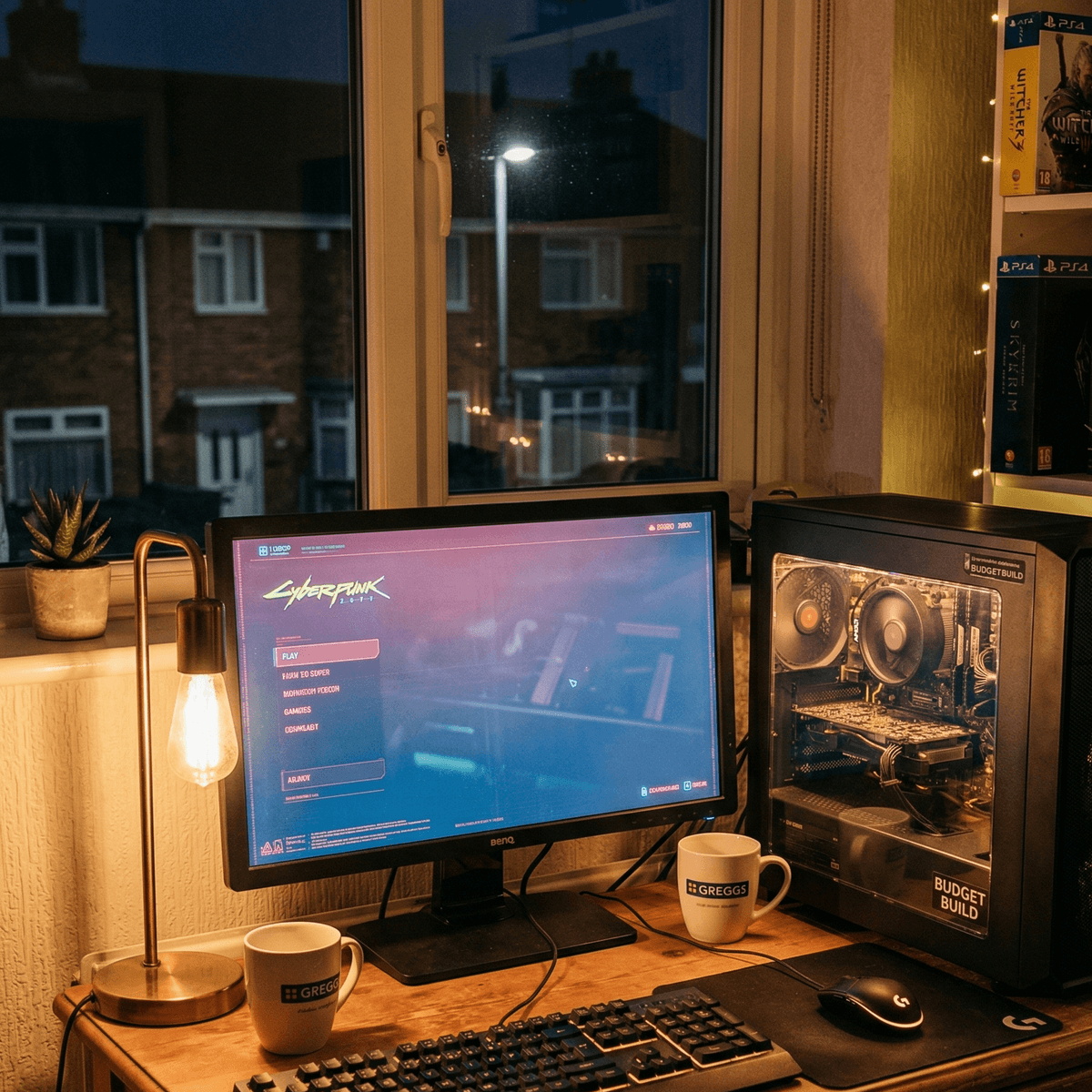
Build 1 complete — a full 1080p gaming rig assembled entirely from used parts for under £180.
Build 2: £280 Mid 1080p / 1440p Rig
An extra £100 over the budget build buys a dramatic performance jump. The Ryzen 5 5600 (Zen 3) vs the 3600 (Zen 2) alone is a meaningful IPC improvement, and the RX 6600 XT is in a completely different tier to the RX 580. This is the sweet spot of the UK used market in 2026 — maximum performance-per-pound, all sourced second-hand.
Build 2 — £280 Mid-Range Parts List
Why these parts
The Ryzen 5 5600 is the best-value CPU in the UK used market right now. Zen 3 architecture, 6 cores, low power draw, and it runs perfectly on B550 boards. The B550M Mortar is widely available used and has excellent VRM quality for a micro-ATX board — it can run the 5600 at stock without any thermal concerns.
The RX 6600 XT punches above its price range significantly. At ~£85 used, it delivers 1080p ultra and entry-level 1440p performance. It runs cool and quiet compared to the old Polaris cards, and 8GB GDDR6 is future-proof for several more years at 1080p. For more context on selecting the right GPU at this tier, see our used GPU buying guide.
Expected performance
- Fortnite (1080p Ultra): 160–200 FPS
- Valorant (1080p High): 300+ FPS
- CS2 (1080p High): 180–240 FPS
- Cyberpunk 2077 (1080p High, no RT): 65–80 FPS
- Hogwarts Legacy (1080p High): 65–75 FPS
- Fortnite (1440p High): 100–130 FPS
- Cyberpunk 2077 (1440p Medium): 50–65 FPS
Comfortable 1080p ultra across the board, and a genuine 1440p option for less demanding titles. Pair with a 144Hz monitor and this build will keep you happy for years.
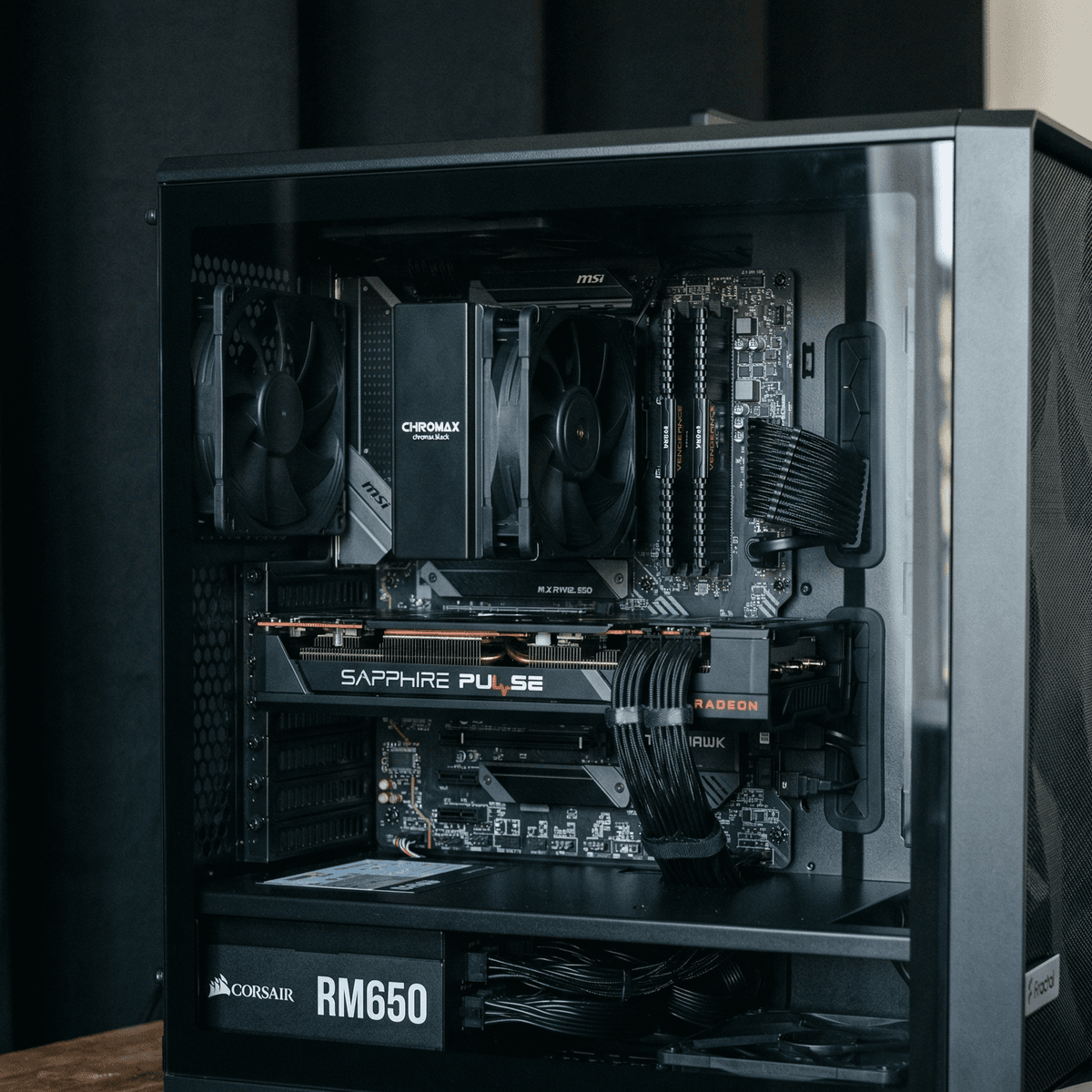
Build 2: the RX 6600 XT and Ryzen 5 5600 hit the sweet spot of the 2026 UK used market.
Build 3: £420 Performance 1440p Rig
This is where all-used builds become genuinely remarkable value. Hardware that cost well over £1,000 at retail, assembled for under £450 — and capable of delivering 1440p ultra performance with headroom to spare. The RTX 3070 at ~£170 used is one of the best pound-for-performance components on the UK market in 2026.
Build 3 — £420 Performance Parts List
Why these parts
The Ryzen 7 5700X is an 8-core, 16-thread chip designed specifically as a no-cooler-included budget option — it has a 65W TDP, runs cool, and slots into any B550 board without drama. 32GB DDR4 at £40 used gives you comfortable headroom for streaming, content creation, or running a browser alongside your game without any compromise.
The RTX 3070 remains one of the cleanest 1440p cards available on the used market. DLSS 2.4 support, 8GB GDDR6, and strong driver support from NVIDIA mean it will stay relevant for years. At ~£160–180 used, the value is exceptional. If you encounter 3070 Ti listings at similar prices, those are generally preferable — more shader processors, marginally faster.
The B550 Tomahawk is one of the most reliable used motherboards in the UK market. Full ATX, excellent PCIe layout, and robust VRM for running the 5700X without needing additional cooling. For detailed guidance on choosing the right board, see our used motherboard buying guide.
Expected performance at 1440p
- Fortnite (1440p High): 130–170 FPS
- Valorant (1440p High): 300+ FPS
- CS2 (1440p High): 180–250 FPS
- Cyberpunk 2077 (1440p High, DLSS Quality): 70–90 FPS
- Hogwarts Legacy (1440p High): 65–80 FPS
- Elden Ring (1440p Ultra): locked 60 FPS
- Call of Duty (1440p High): 120–150 FPS
1440p ultra at 100fps+ in the titles most people actually play. Pair this with a 1440p 144Hz monitor and you have a setup that holds its own against anything short of a current-gen flagship.
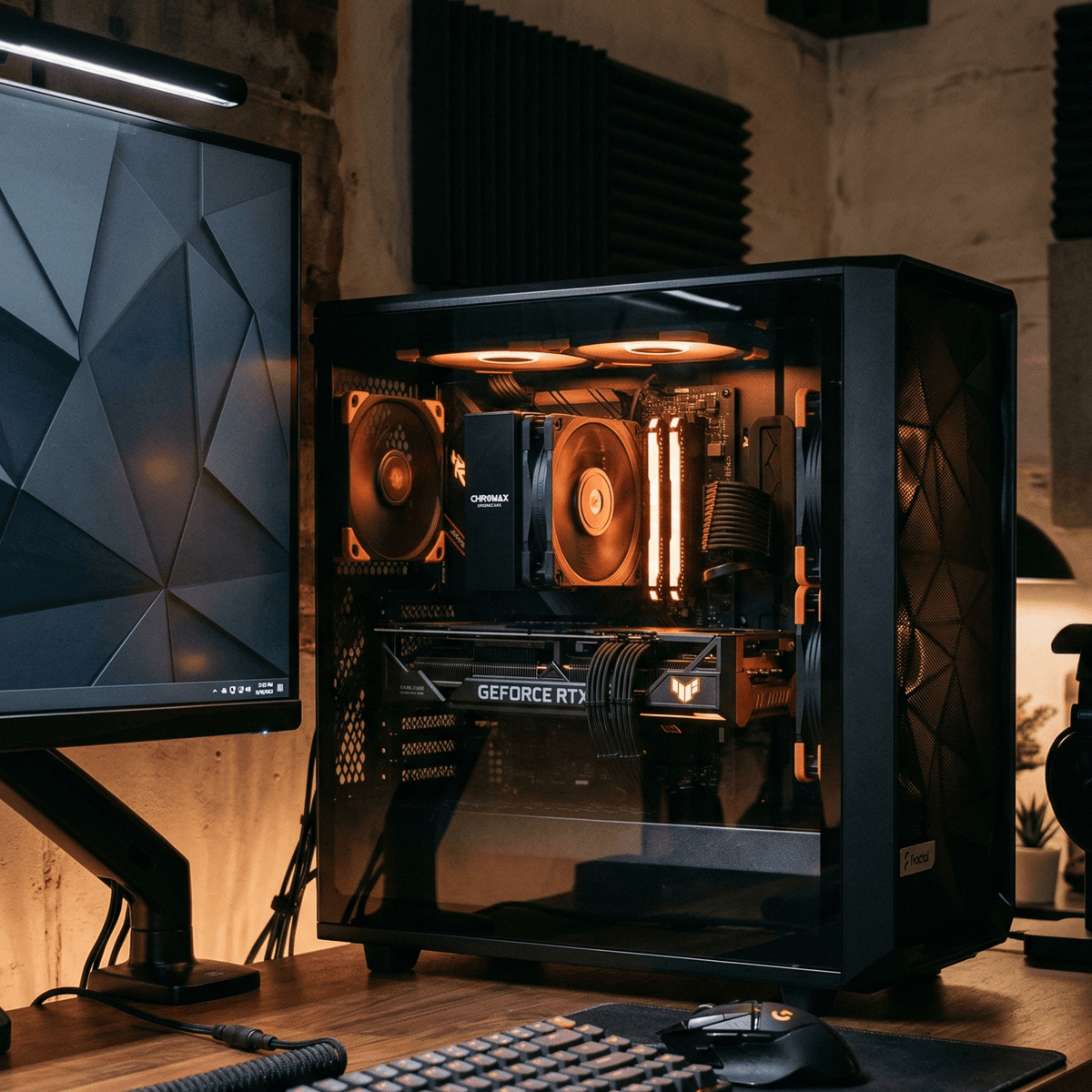
Build 3 complete — RTX 3070, Ryzen 7 5700X, and 32GB DDR4 for under £450, all sourced used.
Component-by-Component Testing Order
With all-used parts, the testing sequence is the most important part of the build process. Follow this order and you'll isolate any DOA components before they waste your time:
Stage 1: Breadboard test (outside the case)
Place your motherboard on the anti-static bag it came in (or on its box). Install the CPU and apply thermal paste. Seat one stick of RAM in slot A2 (check manual — it's usually the second slot from the CPU). Insert the GPU into the primary PCIe x16 slot. Connect PSU to the 24-pin ATX connector, the 8-pin CPU power connector, and the 6+2-pin GPU power. Plug a monitor into the GPU. Briefly short the PWR_SW header pins with a screwdriver to boot.
If you reach the BIOS, your fundamental components are alive. This is the single most important test you'll run. Do not skip it because the parts "look fine."
Stage 2: RAM and storage
Once in the BIOS, add your second RAM stick and reboot. If the system is stable with two sticks, proceed. Connect your SSD and check that it's detected in the BIOS storage menu. Run CrystalDiskInfo from a USB stick to verify SSD health before installing Windows.
Stage 3: Stress test before case entry
Before mounting anything inside the case, install Windows (or boot to a live Linux USB), run Furmark for 15 minutes to check GPU temperatures and stability, and run Prime95 Small FFTs for 10 minutes to verify CPU cooling and stability. If anything crashes, throttles, or produces artefacts at this stage, you know exactly what to return.
Stage 4: Into the case
Only after Stage 3 passes cleanly should you mount everything in the case. Install standoffs for your motherboard form factor, route PSU cables before mounting anything, and leave CPU and GPU power cables to last. A final stress test after casing confirms airflow in the new environment.
Common Pitfalls of All-Used Builds
Compatibility misses
The most common failure mode is a compatibility mismatch that wasn't caught before purchase. An AM4 CPU won't run on a B550 board without a BIOS update — and that BIOS update might require an older CPU you don't have. Always check that the specific CPU you're buying is listed on the motherboard's CPU compatibility page for its current BIOS version. Our compatibility guide covers this in detail.
One dead component tanking the whole plan
With all-used parts, a single DOA component can delay your entire build while you wait for a replacement. Have a plan: know your return window for each platform before you start building, and keep communication open with sellers. On Koukan and eBay, buyer protection gives you recourse. On Facebook Marketplace, you may have none — which is why high-risk components like GPUs should come from platforms with protection.
PSU gambles
A failing PSU doesn't just fail — it can take other components with it. If you buy a used PSU and it develops a voltage spike, your GPU and motherboard may follow. For the performance build (Build 3), strongly consider sourcing a new or near-new certified-refurbished 650W 80+ Gold unit. The cost delta is £20–30 and the risk reduction is substantial.
DOA policies vary enormously
eBay's Money Back Guarantee covers "item not as described," but private Facebook sellers have zero obligation to accept returns. Know your rights before you click buy, and factor platform risk into your sourcing decisions.
Cooling All-Used Builds
All three builds above rely on aftermarket CPU coolers, since the Ryzen 5 3600, 5600, and 5700X all come without a bundled cooler (or with a stock cooler you'd want to replace anyway for better thermals). The good news: aftermarket coolers are among the safest used purchases you can make.
These are the coolers to look for on the UK used market:
- DeepCool AK400 (~£12 used): One of the best budget tower coolers made. 4 copper heatpipes, single 120mm fan, handles 200W TDP. At £12 used, it's a no-brainer for all three builds.
- Arctic Freezer 34 (~£10 used): Direct-touch heatpipes, excellent low-noise performance. Includes AM4/AM5 and Intel LGA1700 mounting hardware, so it carries over between builds.
- Noctua NH-U12S (~£20 used): Overkill for any of these CPUs but whisper-quiet. If you find one locally at under £20, take it. Noctua coolers retain value well so you can always resell.
When receiving a used cooler: remove the heatsink from the fan, clean the contact surface with isopropyl alcohol, and apply fresh thermal paste before installation. Used thermal paste is dried and cracked — it's not doing anything useful at that point.
For case airflow on all-used builds, prioritise front intake over top exhaust. Most of the cases in the £25–50 used price range have modest airflow, and stacking intake fans at the front is the highest-impact free improvement you can make before assembly.
OS on a Used Build: Windows 11 and the OEM Key Minefield
OS licensing is the final cost many builders forget to budget for. With an all-used build, you have several options:
Free upgrade path (best option)
If you have a Windows 10 licence from a previous PC (including a used motherboard with a digitalised licence), you can upgrade to Windows 11 for free. When Windows 10 boots and activates, the licence is tied to your Microsoft account — which means it transfers to new hardware. Before decommissioning any existing PC for parts, sign into your Microsoft account and link the Windows 10 licence digitally. You can then activate Windows 11 on the new build using "I don't have a product key" and signing in to the same Microsoft account.
OEM keys from grey markets
You'll find Windows 11 Home keys for £5–12 on various marketplaces. These are OEM keys redistributed from volume licences or old device licences — technically outside Microsoft's terms but routinely used. They generally activate without issue and remain active through hardware changes. If you go this route, understand the risk: Microsoft can deactivate bulk-sold OEM keys without warning, though in practice this is uncommon.
Retail key (most secure)
A retail Windows 11 Home licence from Microsoft costs £120 and is transferable between PCs indefinitely. For most builders on a tight all-used budget, this is too expensive — but if the build is for a family member or client where stability matters, it's worth it.
Windows 11 runs well on all three builds above. For TPM 2.0 requirements: the B450M Pro4 may need a BIOS update to expose fTPM, and older B450/B550 boards with AMD CPUs typically support it natively. The RX 580 does not support hardware-accelerated DirectX 12 Ultimate features, but Windows 11 runs fine on it.
Frequently Asked Questions
Is it safe to buy a used GPU in the UK?
Yes, with precautions. Ask the seller for screenshots of GPU temperatures at load (should be under 85°C for most cards), check for artefacts in photos, and buy from platforms with buyer protection for expensive purchases. Our used GPU guide covers every red flag to check for. The RX 580 and RX 6600 XT in our builds are among the most reliable used GPUs on the market — consumer, non-mining workloads.
What if a used part arrives dead?
On eBay, open an "Item Not as Described" case within 30 days. eBay's Money Back Guarantee almost always sides with the buyer on DOA electronics. On Koukan, contact the seller directly and use the platform dispute process if needed. On Facebook Marketplace, your options are limited — which is why we recommend only buying low-risk components like cases and coolers from Facebook, with GPUs and motherboards coming from platforms with protection.
Can I upgrade these builds later?
Yes. All three builds use the AM4 platform, which gives you the entire Ryzen 5000 series as a CPU upgrade path on any of the boards listed. Build 1 can be upgraded to a Ryzen 5 5600 for £55 (and the GPU upgraded later). The B550 boards in Builds 2 and 3 support every AM4 CPU ever made with the right BIOS.
How do I check if used parts are compatible with each other?
PCPartPicker.com remains the best free tool for compatibility checking. Enter the exact model of each component and it will flag known incompatibilities. For AM4 builds, the main thing to verify is CPU-motherboard BIOS compatibility — not just socket compatibility. Our compatibility checker guide walks through the process step by step.
Should I buy a pre-built used PC instead?
Pre-built used PCs can appear cheaper but often use lower-spec PSUs, OEM-only parts, and non-standard form factors that make upgrades difficult. A self-built all-used PC gives you standard ATX components, known specs, and full upgrade control. The only scenario where pre-built used makes sense is if you have zero interest in building yourself — and even then, the value per pound typically favours a self-built system when you factor in the used market prices for individual components in 2026.
Advertisement