How to Buy Used PC Parts Safely in the UK (2026 Guide)
Advertisement
If you want to buy used PC parts in the UK, you are not alone. Prices on new hardware can be punishing, and for many builds the “last generation” still performs brilliantly. The used market also keeps perfectly good components out of landfill—so you save money and reduce waste.
The catch is obvious: scams, misrepresented condition, and parts that have lived a hard life in a hot case or an always-on rig. This guide is designed to move you from informational research to confident buying. You’ll learn which components are genuinely safe to buy second-hand, what to check before you pay, where to shop online, and how to avoid the common traps on the big platforms.
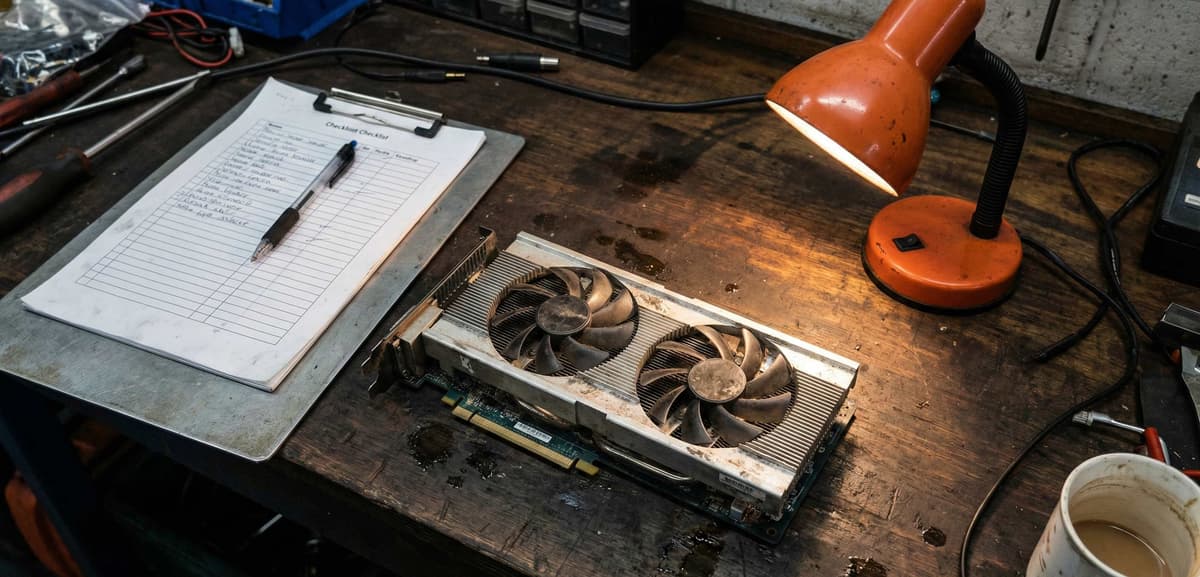
Quick view: the verification checklist you’ll use throughout this guide.
Why buy used PC parts instead of new?
Buying new is simple: you pay the retail price and you get a warranty. Buying used takes a little more judgement—but the upside is huge.
It is common to see 25–50% lower prices compared with new, especially on GPUs and complete older platforms (CPU + board + RAM bundles). (Based on observed UK second-hand market listings, 2024–2026; individual prices vary by component age and condition.)
Extending the life of components reduces the demand for new manufacturing and keeps working electronics in circulation.
Used parts make the most sense when you’re building on a budget, upgrading one weak link (often the GPU), or putting together a capable PC for uni, work, or esports.
A practical example: if you are trying to buy a used GPU for 1080p high refresh gaming, a strong card from a couple of years ago can feel identical in real play—while costing drastically less than a new mid-range option.
Which PC parts are safe to buy used?
Not all components age the same way. Some are mostly “digital” (they either work or they do not). Others are “analogue” (fans, bearings, solder joints, capacitors) and demand more caution.
GPUs (graphics cards)
Used GPUs can be excellent value, but they deserve the most scrutiny. Cooling and power delivery take the most wear. Ask for benchmark proof and clear photos.
Internal link: browse used GPUs.
CPUs
CPUs are usually safe buys. They have no moving parts and tend to either work perfectly or show issues immediately. If you want to buy CPU online, prioritise clear proof of working status and correct model.
Internal link: browse used CPUs.
RAM
RAM is one of the safest used components. Ask for the exact kit (capacity, speed, DDR generation) and ideally a screenshot of a memory test.
Motherboards
Motherboards are safe if you can confirm the socket and slots are clean and undamaged. Bent pins, corrosion, and “intermittent issues” are deal-breakers.
Storage (HDD vs SSD)
HDDs wear mechanically; SSDs wear by write cycles. Used storage can be fine if you can check health data (SMART stats) and you’re not storing irreplaceable data without backups.
- HDD: avoid for critical use unless it is clearly low-hours and properly packaged.
- SSD: ask for remaining life/health and total writes.
Power supplies (PSUs)
PSUs are the component to treat with the most caution. A weak or failing PSU can damage other parts. Prefer newer units from reputable lines, with proof of purchase and the correct cables included.
If you are looking to buy second hand PC as a complete system, treat it like a bundle of the same checks: verify the GPU and PSU first, then confirm the platform and thermals.
What to check before buying used PC parts
1) Physical condition (photos that actually help)
- Look for clear, well-lit photos of the actual item (not stock images).
- Check for damaged fan blades, missing screws, bent brackets, or signs of liquid residue.
- For motherboards, ask for a close-up of the socket area and DIMM slots.
2) Usage history (the questions that matter)
- Why are you selling? Upgrades are normal; vague answers are not.
- How was it used? Gaming, workstation, or 24/7 load.
- Any repairs/mods? Repasting is fine; “repaired power stage” is not.
3) Stress testing and benchmarks
You do not need a perfect lab report, but you do need something more than “works great mate”. For GPUs, ask for a screenshot of a modern benchmark run plus temperatures under load. For CPUs, a stability test screenshot and basic temperatures are enough. For RAM, a memory test is ideal.
4) Serial numbers and authenticity
Counterfeit PC components are less common than fake trainers, but they exist—especially with storage and older “too cheap” listings. Ask for a photo of the serial sticker, match it to the model name, and avoid listings that refuse.
Common red flags (quick list)
- The price is far below typical used value with no clear explanation.
- The seller pressures you to pay immediately or move to another app.
- “No returns” is used as a shield against basic accountability.
- Photos are blurry, cropped tightly, or re-used across multiple listings.
Where to buy used PC parts online in the UK
eBay
eBay is broad and convenient, and you can find almost anything. The downside is that it’s a general marketplace, not PC-part-native. Listings vary wildly in accuracy, and you will spend time filtering. Fees can also push sellers to inflate prices.
- Pros: huge inventory, buyer protections, search filters.
- Cons: inconsistent listing quality, higher prices due to fees, lots of noise.
Facebook Marketplace
Facebook Marketplace can be great for local deals and quick pickup, but it is also where many first-time buyers get burned. The platform is optimised for local selling, not technical verification.
- Pros: local pickup, potential bargains, fast communication.
- Cons: higher scam risk, inconsistent accountability, hard to verify technical claims.
Dedicated marketplaces (built for components)
If you want eBay alternatives for PC parts, dedicated marketplaces are usually the safest path. They tend to enforce clearer listing rules and are designed around the realities of hardware trading.
Koukan is a UK-based marketplace focused specifically on PC components. The experience is designed around verified profiles, better listing hygiene, and a dispute process that understands what “not as described” actually looks like in the PC parts world.
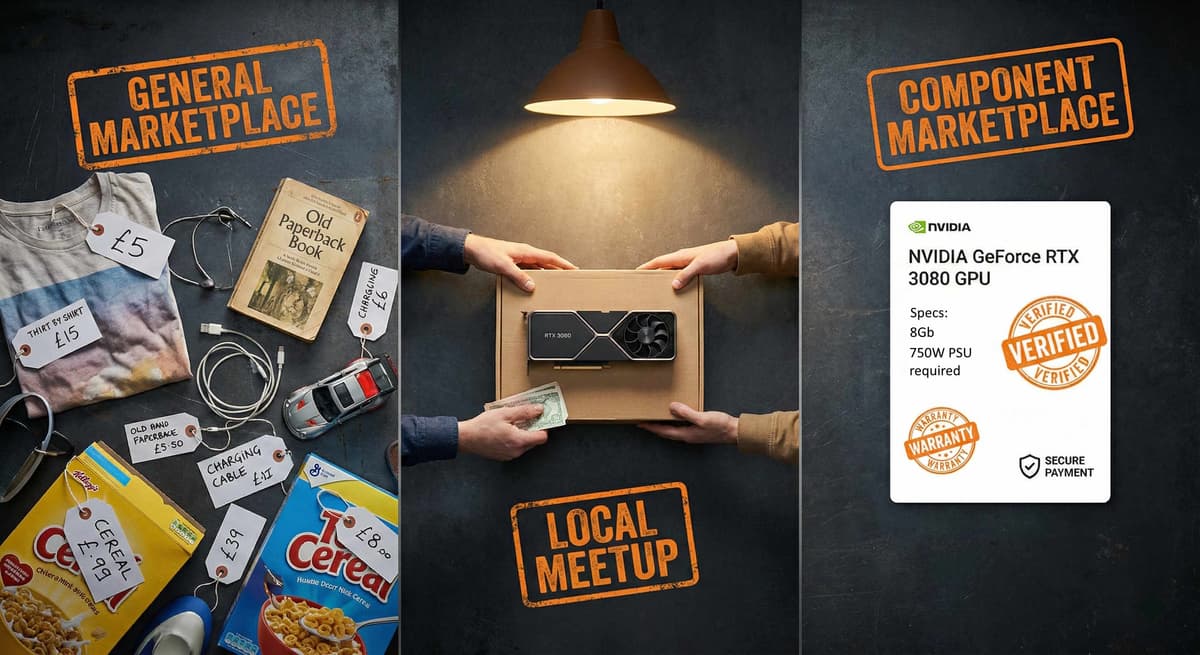
Visual summary: the trade-offs between general marketplaces and component-focused platforms.
Koukan vs eBay vs Facebook Marketplace
| Feature | Koukan | eBay | Facebook Marketplace |
|---|---|---|---|
| PC-part focus | Yes (components-first) | General marketplace | General local classifieds |
| Fees (seller pressure) | Lower pressure on pricing* | Often significant | None / minimal |
| Buyer protection | Dispute support built for parts | Varies by case and seller | Limited / inconsistent |
| Seller verification | Encouraged (verified badges) | Mixed | Mixed |
| Listing quality | More structured | Highly variable | Highly variable |
| Best for | Safer component buying | Rare parts & broad selection | Local cash deals (with caution) |
*Always confirm current fees and policies on each platform; they can change.
The simplest way to think about it: eBay and Facebook Marketplace are broad marketplaces where PC parts are just another category. Koukan is built around the reality of trading components—condition grading, verifiable details, and the expectation that a GPU should be able to pass a benchmark without crashing.
How to avoid scams when buying second-hand PC parts
Fake listings and fake photos
The most common scam is the simplest: a real-looking listing using someone else’s photos. Ask for a photo of the item with a handwritten note showing today’s date, plus a close-up of serial/model identifiers.
Too-good-to-be-true pricing
If a used GPU is priced like a broken one, assume you are missing information. Sometimes it’s legitimate (quick sale, upgrade, or bundle)—but let the proof do the convincing.
“No returns” and cash-only pressure
A strict no-returns stance can be reasonable for private sales, but it becomes a red flag when the seller also refuses to provide testing proof. Likewise, a seller pushing for cash-only or off-platform payment is usually trying to remove accountability.
A simple safe-buy rule
If the seller won’t provide clear photos and basic proof of function, treat it as a non-starter. There will always be another listing.
UK context: Online shopping and auction fraud is among the most reported fraud categories in the UK each year. Action Fraud — the UK's official fraud and cybercrime reporting centre — recommends always paying through a secure, traceable method that gives you recourse if an item doesn't arrive as described.
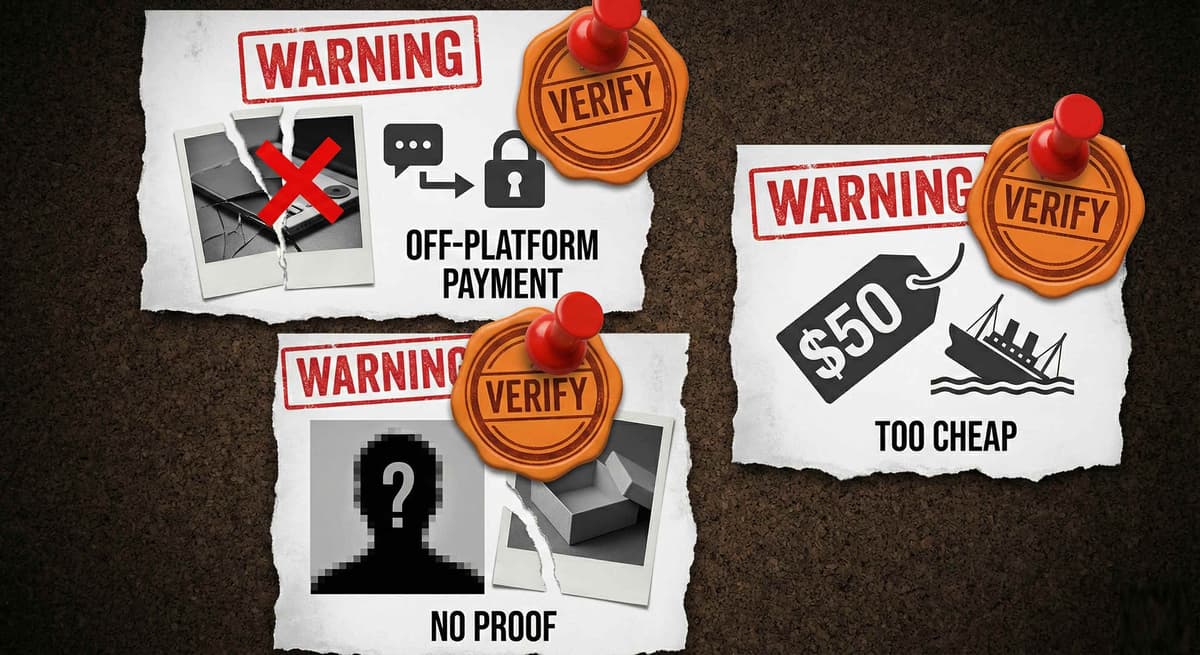
Red-flag scan: if you spot two or more, walk away.
FAQs
Is it safe to buy used PC parts?
Yes—it can be safe if you buy through platforms with accountability and you verify condition and working status. Prioritise clear photos, proof of testing, and sellers with a track record. Avoid rushed payments and listings that won’t answer basic technical questions.
Are used GPUs worth buying?
Used GPUs are often the best performance-per-pound upgrade you can make. They are worth buying when the seller can show benchmark stability, reasonable temperatures, and clear photos of the card. Be extra cautious with unknown history and avoid listings that refuse proof.
How much cheaper are used PC parts?
In many UK listings, used parts are 25–50% cheaper than new. The biggest savings are typically on GPUs, older CPU platforms, and complete bundles. Prices vary with demand, condition, and included accessories.
What PC parts should never be bought used?
“Never” is rare, but the highest-risk buys are unknown-condition PSUs, heavily worn storage with no health data, and motherboards with unclear socket photos. If a component can damage other parts when it fails, raise your standards.
Final thoughts (and your next step)
If you want to buy used PC parts UK buyers can trust, focus on the fundamentals: verify the component, verify the condition, and verify the seller. Most horror stories start with skipping one of those steps.
When you’re ready, browse components on Koukan with confidence—especially high-impact upgrades like GPUs and CPUs. Start with the categories that match your build, compare condition grades, and pick listings that include proof.
Advertisement