How to Sell Your Old Gaming PC in the UK (Complete Guide)
Advertisement
You've upgraded, or you're done gaming, and there's a full tower sitting under your desk doing nothing. Every week it sits there, it loses value. A mid-range gaming PC that could fetch £600 today might be worth £450 in six months. This guide walks you through every step — from the "whole vs parts" decision all the way to packing, shipping, and getting paid safely in the UK.
If you already know you want to sell specific components instead of the whole machine, start with our dedicated guides: How to sell a used GPU or Where to sell used PC parts in the UK. For a quick valuation, see Used PC parts price guide UK.
Should you sell it whole or strip it for parts?
This is the single biggest decision you need to make, and getting it wrong costs real money. The answer depends on your system's age, specs, and how much effort you're willing to invest.
| Factor | Sell Whole | Sell as Parts |
|---|---|---|
| Total money received | Lower — buyers expect a bulk discount | Higher — parts sum to more than whole |
| Effort required | Low — one listing, one shipment | High — 5-8 listings, multiple shipments |
| Time to sell | 1–3 weeks for a fairly-priced whole system | Days for GPU/CPU, weeks for less popular parts |
| Shipping complexity | Hard — large, heavy, fragile | Easy — small boxes, lower insurance |
| Best for systems worth… | Under £400 or older than 3 generations | Over £500 with desirable GPU/CPU |
The quick rule
If your GPU alone is worth more than 40% of the whole system's value, you will almost certainly make more money selling as parts. Use our GPU valuation guide to check.
How to price your gaming PC (whole system)
Pricing a complete used gaming PC is where most UK sellers get it wrong. They either price based on what they paid (irrelevant), or what the parts cost new today (too high). The correct method is to add up the current used value of each component, then apply a system discount.
Step-by-step pricing method
- List every component — GPU, CPU, motherboard, RAM (capacity + speed), storage (type + capacity), PSU (wattage + brand), case, cooler, fans.
- Look up each component's used value using our Used PC Parts Price Guide UK or search eBay UK sold listings (filter to "Sold items" — not active listings).
- Sum the used parts values. This is your theoretical ceiling.
- Apply a 15–25% system discount. 15% for clean, well-maintained, recent builds. 25% for older systems or those without original boxes. Buyers expect a discount for buying whole because they're doing you a favour by taking everything in one go.
- Add a small negotiation buffer. List 5–8% above your target price to leave room for offers without going below your minimum.
Example pricing: mid-range gaming PC
Where to sell your gaming PC in the UK
Each platform attracts a different buyer type. Here is an honest breakdown for UK sellers in 2026.
Koukan
RecommendedPros: Zero seller fees, verified users, PC-parts-focused audience, buyer protection
Cons: Smaller audience than eBay (growing fast)
Best for: GPU, CPU, complete systems — UK sellers who want to keep 100% of the sale
eBay UK
High reachPros: Massive audience, buyer trust, global reach option
Cons: 30-day forced return risk, buyer-biased dispute automation, 12%–14% fees for business sellers
Best for: Systems under £300 where maximum exposure matters most
Facebook Marketplace
Local onlyPros: No fees for local pickup, large audience
Cons: Timewasters, no-shows, zero buyer verification, safety risk in person
Best for: Heavy tower systems where you want to avoid shipping entirely
Gumtree
DecliningPros: Free listings, local audience
Cons: Scam-heavy, shrinking user base, no payment protection
Best for: Only worth trying if Facebook Marketplace is oversaturated in your area
CeX
Instant but lowPros: Instant cash/voucher, no listing effort, walk-in stores
Cons: 40-60% below market value — you are paying for convenience
Best for: When speed matters more than price, or for parts nobody else wants
How to create a listing that actually sells
The difference between a PC that sells in a day and one that sits for weeks is almost always the listing quality. Here is exactly what a high-converting UK listing needs.
Photos that build trust
Take at least 8 photos. Bad phone photos in poor lighting can reduce your sale price by 15–20% because buyers assume you don't care about the condition either.
Required photos checklist
Title format that gets clicks
Your title should follow this template for maximum search visibility:
Example: Gaming PC — RTX 4070 / Ryzen 7 7700X / 32 GB DDR5 / 1 TB NVMe — Excellent
Description structure
Lead with specs, not story. Buyers scan listings — they want facts up front. Use this order:
- Full spec list — every component, model, capacity
- Age and usage — months owned, type of use (gaming / work / mining)
- Condition details — be honest about every imperfection
- What's included — cables, boxes, peripherals
- Why you're selling — builds trust
- Benchmarks or test results if you have them
- Collection/shipping info — how you'll ship, who pays
Shipping a gaming PC safely in the UK
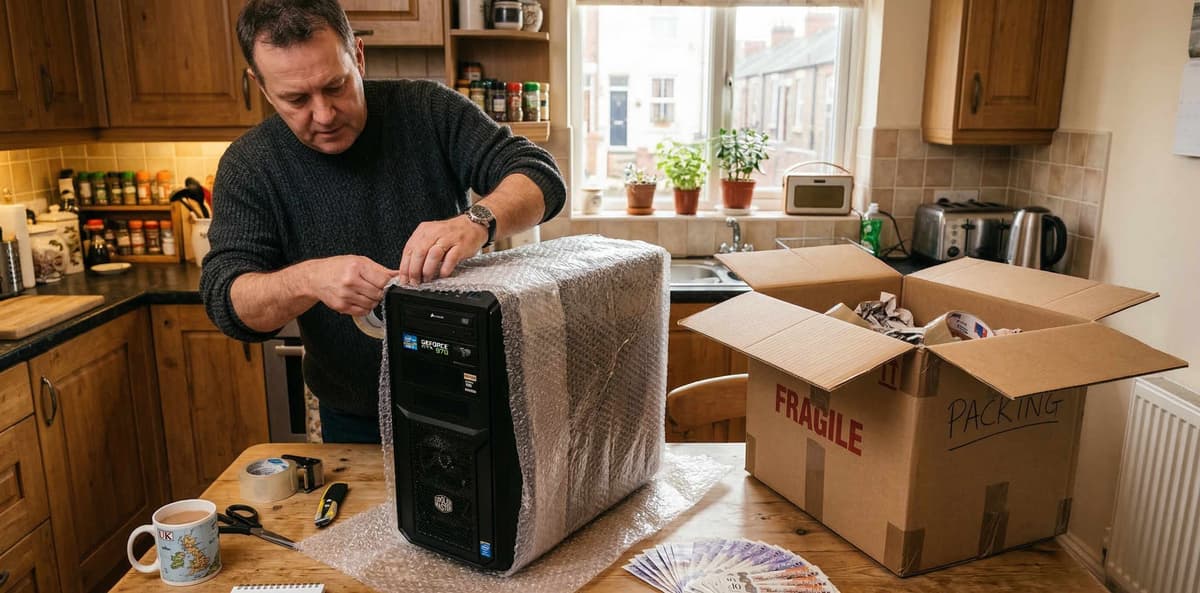
Shipping a full tower is the hardest part of selling a whole gaming PC. Get it wrong and you're looking at a damaged GPU, a bent CPU cooler, or a cracked side panel — and a buyer who wants a refund.
Before packing: remove the GPU
This is non-negotiable. The GPU is the heaviest component hanging from the motherboard. During transit, even well-packaged systems experience jolts that can snap a PCIe slot or crack the GPU's PCB. Remove the GPU, wrap it in anti-static material, and ship it in its own protective packaging inside the same box or separately.
Packing step-by-step
- Remove the GPU and any large aftermarket CPU coolers (tower-style). Ship CPU stock cooler or AIO coolers are fine left in.
- Fill the interior with anti-static bubble wrap or crumpled packing paper to immobilise loose cables and prevent components shifting.
- If the case has a tempered glass side panel, remove it and wrap separately — TG panels crack under shock even inside the case.
- Wrap the entire case in at least 5 cm of bubble wrap on all sides.
- Use a double-walled cardboard box at least 10 cm larger than the case on every side. Fill the gap with rigid foam or crumpled paper.
- Mark the box as FRAGILE. Add "THIS SIDE UP" arrows.
- Wrap and pack the GPU separately inside the same outer box, clearly separated from the case.
UK couriers for heavy parcels
| Courier | Max weight | Insurance | Cost (approx) |
|---|---|---|---|
| ParcelForce 48 | 30 kg | £100 included | £15–25 |
| DPD | 30 kg | £150 included | £12–20 |
| UPS Standard | 30 kg | £100 included, extra available | £15–30 |
| Evri (Hermes) | 15 kg | £20 included | £7–12 |
Do not use Royal Mail for full PCs
Royal Mail's maximum parcel weight is 20 kg and max combined dimensions are 2.5 m. Most gaming towers exceed this, and their parcels are not handled gently. Use a parcel courier with tracking and insurance.
Getting paid safely
A gaming PC is a high-value item — £400, £600, sometimes over £1,000. That makes you a target for payment scams. Here are the safe and unsafe methods.
Safe methods
- • Koukan payment protection — funds held until buyer confirms receipt
- • PayPal Goods & Services — seller protection on shipped items with tracking
- • Bank transfer (for collection) — wait for funds to clear before handing over
- • Cash on collection — count in person, accept only notes you can verify
Unsafe methods — refuse these
- • PayPal Friends & Family — zero seller protection, commonly used in scams
- • Crypto payments — irreversible, no recourse
- • Cheques — can bounce days later
- • "I'll pay on delivery" — never ship without payment secured first
Common scams targeting PC sellers (and how to beat them)
The fake payment screenshot
How it works: Buyer sends a screenshot of a bank transfer or PayPal payment, but the money never arrives.
Defence: Never release the item until the money is visible in YOUR account. Screenshots prove nothing.
The overpayment trick
How it works: Buyer 'accidentally' sends too much and asks you to refund the difference via a different method.
Defence: Refund only via the original payment method. The original payment is usually fraudulent or will be reversed.
The bait-and-switch return
How it works: Buyer receives your working PC, swaps a component (usually the GPU), and returns it claiming it's faulty.
Defence: Photograph serial numbers on GPU, RAM, SSD before shipping. Use tamper-evident seals on the case screws.
The fake courier collect
How it works: Buyer says they'll send a courier but actually an accomplice collects without paying.
Defence: Only hand over to couriers you booked yourself, or insist on payment clearing before any collection.
Wipe your data before selling
This is not optional. Your gaming PC likely has saved passwords, browser sessions, game accounts, and potentially financial information. A factory reset is not enough.
For SSDs and NVMe drives you're including
- Back up anything you want to keep to an external drive or cloud storage.
- Download and run the SSD manufacturer's "Secure Erase" tool (Samsung Magician, Crucial Storage Executive, WD Dashboard, etc.).
- If no manufacturer tool is available, use a bootable USB with
shred(Linux) ordiskpart clean all(Windows). - Reinstall a fresh copy of Windows (unactivated is fine — the buyer can use their own key).
For HDDs you're including
Use DBAN (Darik's Boot And Nuke) for a full wipe. A standard Windows format does not overwrite data — it just marks sectors as available.
Selling without storage?
If you're keeping your drives, just remove them and state "No storage included" in the listing. Many buyers prefer this — they already have their own drives, and it lowers your price to match the market expectation.
Quick wins to increase your sale price
Clean the entire system
Compressed air for dust, isopropyl for thermal paste residue, microfibre for surfaces. A clean PC photographs better and reassures buyers it was cared for.
Include original boxes
GPU and CPU boxes add perceived value and make shipping safer. If you have them, photograph them prominently.
Run and screenshot benchmarks
3DMark Time Spy, Cinebench R23, CrystalDiskMark. Buyers who see real numbers have more confidence and bid higher.
Fresh thermal paste
£5 for a tube of Thermal Grizzly Kryonaut. Shows the buyer the system is maintained and temps out of the box will be excellent.
Offer local delivery for free
If you have a car and the buyer is within 30 miles, offering free delivery eliminates the shipping-damage fear entirely.
When to sell (timing your exit)
Gaming PC depreciation is not linear — it follows GPU and CPU generation cycles. Here are the key timing rules for the UK market in 2026.
- Sell 2–3 months before a new GPU generation launches. Once confirmed, current-gen prices start falling. The RTX 50-series launch saw RTX 40-series drop 20–30% within weeks.
- September–November is peak demand. Students start university, Christmas buyers start shopping early, and gaming season ramps up.
- January–February is the worst time. Post-Christmas, everyone has just spent their budget. Supply floods the market from Boxing Day upgraders.
- List on Thursday or Friday evening. Buyers browse most actively on evenings and weekends. A Thursday listing hits peak visibility within 24 hours.
Ready to sell your gaming PC?
Koukan charges zero seller fees. List your gaming PC, reach verified UK buyers, and keep 100% of the sale. Our buyer protection means serious buyers, not tyre kickers.
Related guides
Advertisement