How to Sell a Used GPU in the UK for the Best Price
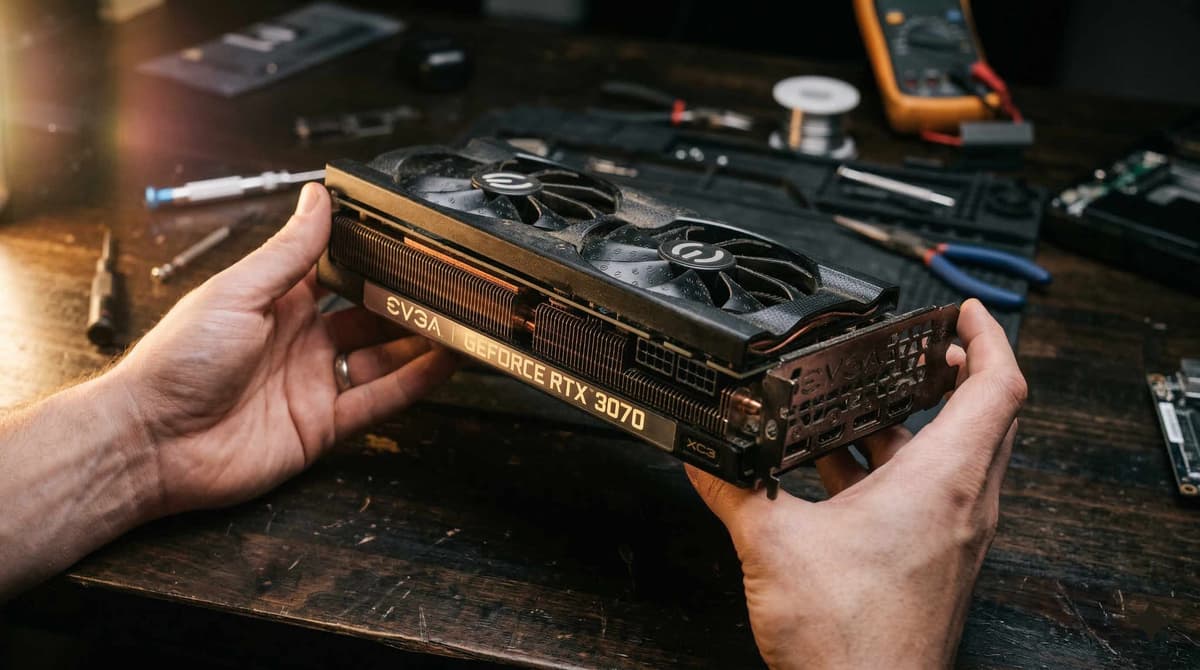
Advertisement
A graphics card is the single most valuable component inside most gaming PCs. In the UK used market, a well-sold GPU can recover 40–70% of its original price — but only if you time the sale correctly, list it properly, and ship it safely.
This guide is built for UK sellers. You will learn exactly when to sell, how to price your card, where to list it, how to create a listing that commands top price, and how to package and ship a GPU without it arriving in pieces. Every tip here is specific to the UK market — from Royal Mail insurance limits to the platforms UK buyers actually use.
If you are trying to price your card before reading the rest, start with our dedicated valuation guide: How much is my GPU worth? For a broader look at selling all your PC components, see: Used PC parts price guide UK.
When to sell your GPU (timing is worth hundreds)
GPU prices on the used market are not static. They follow predictable cycles driven by new product launches, seasonal demand, and broader economic sentiment. The difference between selling at the right time and the wrong time can be 15–30% of the sale price — which on a £400 card means £60–£120 left on the table.
The golden window: 2–3 months before a new generation launches
This is the single most important timing rule for selling a used GPU in the UK. Once a new generation is officially announced with a confirmed release date, current-generation used prices begin a steady decline. The largest drops happen in the two weeks immediately after launch, when early adopters flood the market with their old cards.
The best time to sell is 2–3 months before a confirmed launch. At this point, demand for the current generation is still strong, supply of used cards is normal, and buyers are not yet holding off for the new models. In the UK, this window typically aligns with pre-announcement rumour cycles — once credible leaks show a release quarter, act quickly.
Seasonal patterns in the UK used GPU market
- January–February: Solid demand. Buyers who received cash or vouchers at Christmas are looking for upgrades. Good selling window.
- March–April: Stable. University students building rigs before exam breaks.
- September–October: Back-to-school and pre-Christmas build season. Strong demand, often the second-best window after January.
- November (Black Friday week): Worst time to sell. New GPU deals undercut used prices heavily. The used market floods with sellers trying to upgrade. Avoid listing during this week.
- December: Mixed. Early December can work; mid-to-late December slows as buyers wait for January sales.
2026 context: depreciation cycles
As of early 2026, the RTX 40-series is well into its lifecycle and RTX 50-series availability is increasing. If you are still holding an RTX 30-series card, the depreciation curve is already steep — selling sooner rather than later is almost always the right call. RTX 40-series cards still hold value well, but that window narrows with every 50-series card that reaches UK shelves.
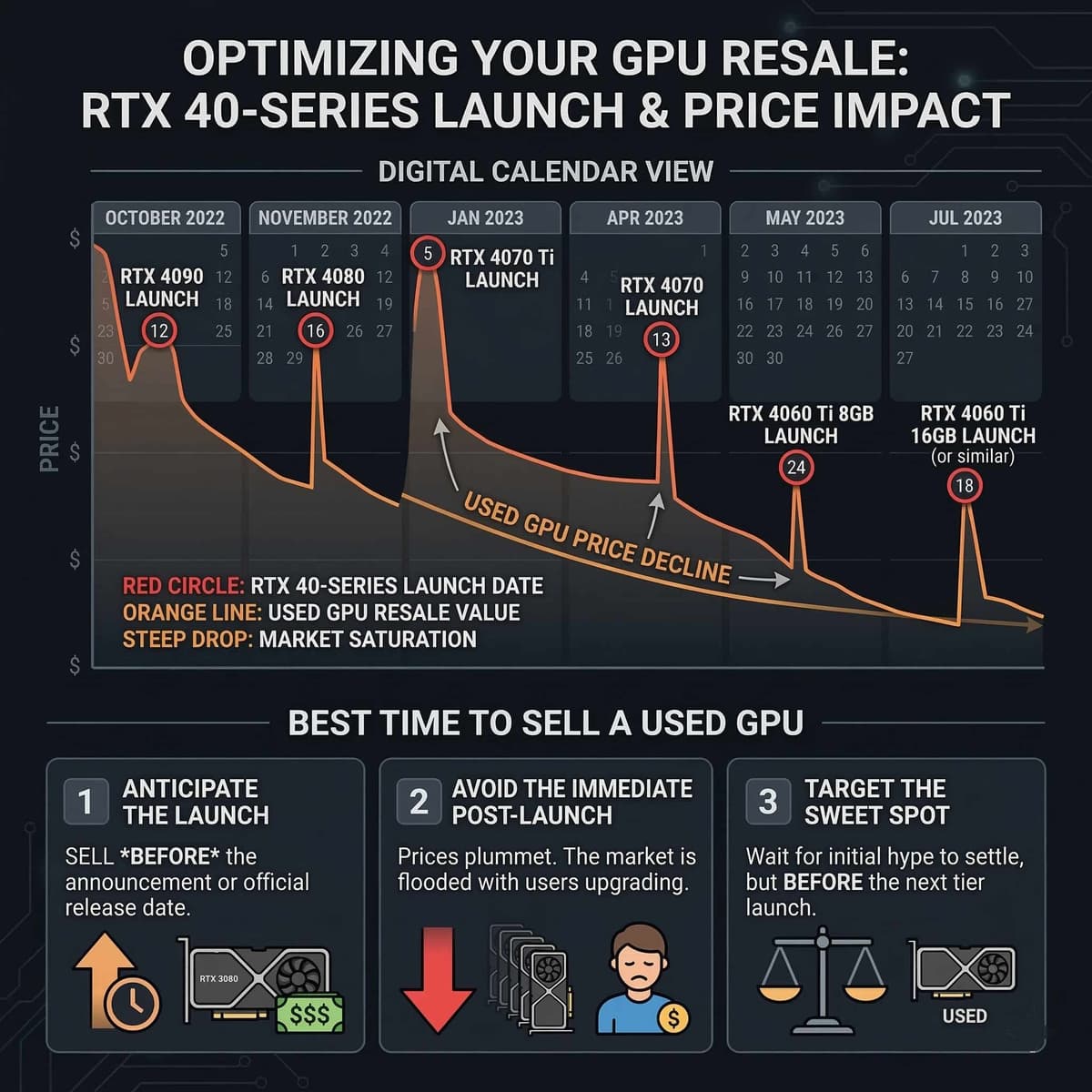
Timing your sale around new launches and seasonal demand is worth more than any listing trick.
What's my GPU worth? (2026 UK used price ranges)
The following are approximate UK used prices as of early 2026. These reflect cards in good working condition with no cosmetic damage. Prices vary by exact model, brand, and condition — use these as a starting point, then verify against actual sold listings.
| GPU Model | Typical UK Used Price | Notes |
|---|---|---|
| RTX 3060 12GB | £120–£150 | Still popular for 1080p. Supply is high. |
| RTX 3070 | £160–£200 | Sweet-spot card; moves quickly. |
| RTX 3080 10GB | £210–£270 | Still strong 1440p/4K. 12GB variant commands £20–£30 more. |
| RTX 4060 | £200–£240 | Efficient. Holds value well due to low power draw. |
| RTX 4070 | £330–£390 | High demand. Best £-per-FPS at 1440p in 2026. |
| RTX 4080 | £550–£650 | Declining now as RTX 5080 availability improves. |
| RX 6700 XT | £130–£165 | Good 1080p/1440p card. Competes directly with RTX 3060 Ti. |
| RX 6800 XT | £210–£270 | Strong raw rasterisation. Ray tracing weaker than NVIDIA equivalent. |
| RX 7800 XT | £310–£370 | Excellent 1440p. Holds value well in the UK market. |
How to check what your card is actually selling for
Never price based on active "asking" listings — those are what sellers hope for, not what buyers pay. Instead:
- eBay sold listings: Search your exact model on eBay UK, then filter by "Sold items". Sort by most recent. This shows the actual prices buyers paid in the last 30–90 days.
- Koukan marketplace: Browse completed sales on Koukan for UK-specific pricing without inflated fee buffers. Sellers here price competitively because they keep 100% of their sale price.
For a deeper dive into GPU valuation, see: How much is my GPU worth? For pricing all of your PC parts before a full system sell, use: Used PC parts price guide UK.
Where to sell your GPU in the UK (ranked)
Not all selling platforms are equal. The right choice depends on whether you prioritise price, speed, or convenience. Here is an honest breakdown of the main UK options in 2026.
1. Koukan — 0% seller fees, GPU-savvy buyers
- Fees: 0% seller commission. You keep the full sale price.
- Audience: UK PC hardware enthusiasts who understand GPU models, conditions, and fair prices. Less lowballing, fewer clueless questions.
- Verification: Seller verification system and structured listing fields mean buyers trust the platform.
- Best for: Getting the best net price in the UK without losing money to high platform fees or forced return policies.
2. eBay UK — massive reach, return & fee trade-offs
- Fees: 0% final value fees for non-commercial private sellers, but 9.9% category fee + 0.35% regulatory fee + £0.40/order + VAT (~12%–14%) for commercial business sellers.
- Reach: The largest audience of any UK marketplace. Cards sell quickly if priced competitively.
- Risks: 30-day automated Money Back Guarantee heavily favours buyers. Serial-number swaps and fraudulent "item not as described" returns pose serious risks.
- Best for: Sellers with low-value parts who need guaranteed speed and can absorb dispute risks.
3. Facebook Marketplace — free but risky
- Fees: Free for local collection sales. Shipping sales through Facebook incur fees.
- Audience: General public. Many buyers do not understand GPU models. Expect lowball offers and no-shows.
- Risks: No seller protection for cash deals. Serial time-wasters. Safety concerns with in-person meetups.
- Best for: Quick local sales if you are comfortable meeting strangers and accepting cash.
4. Reddit r/HardwareSwapUK — knowledgeable community
- Fees: None. Transactions are peer-to-peer.
- Audience: Hardware-literate UK community. Fair prices, less lowballing, but small buyer pool.
- Risks: No formal seller protection. Payment is typically PayPal or bank transfer.
- Best for: Sellers with Reddit accounts in good standing who want a fair deal with informed buyers.
5. CEX — instant but 40–50% below market
- Offer: Typically 40–50% below the going used market price. For a card worth £300 on the open market, expect £150–£180 from CEX.
- Speed: Instant. Walk in, get tested, walk out with cash or voucher.
- Convenience: No listing, no questions, no shipping.
- Best for: When you need cash today and convenience outweighs maximising value.
The bottom line: If you want the best net price and your buyer pool is UK PC builders, Koukan gives you the highest take-home because there are no seller fees. eBay is the fallback when you need maximum audience reach and can absorb the fees.
Creating the perfect GPU listing
A detailed, honest listing sells faster and at a higher price. Buyers who can see exactly what they are getting are willing to pay more than buyers who have to guess. Here is what to include.
Photos (the most important part)
Poor photos are the number one reason GPU listings underperform. Take at least these five shots in good lighting (natural daylight or a desk lamp — not flash):
- Front of the card: Full view showing the fans, shroud, and any branding. This is the hero shot.
- Back of the PCB: Shows backplate condition and proves the board has not been tampered with.
- PCIe connector edge: Close-up so the buyer can inspect the gold connector fingers for wear or damage.
- Display outputs: Shows the bracket area and all ports (HDMI, DisplayPort).
- Any cosmetic imperfections: If there is a scratch, scuff, or discolouration, photograph it clearly. Hiding flaws leads to returns and disputes.
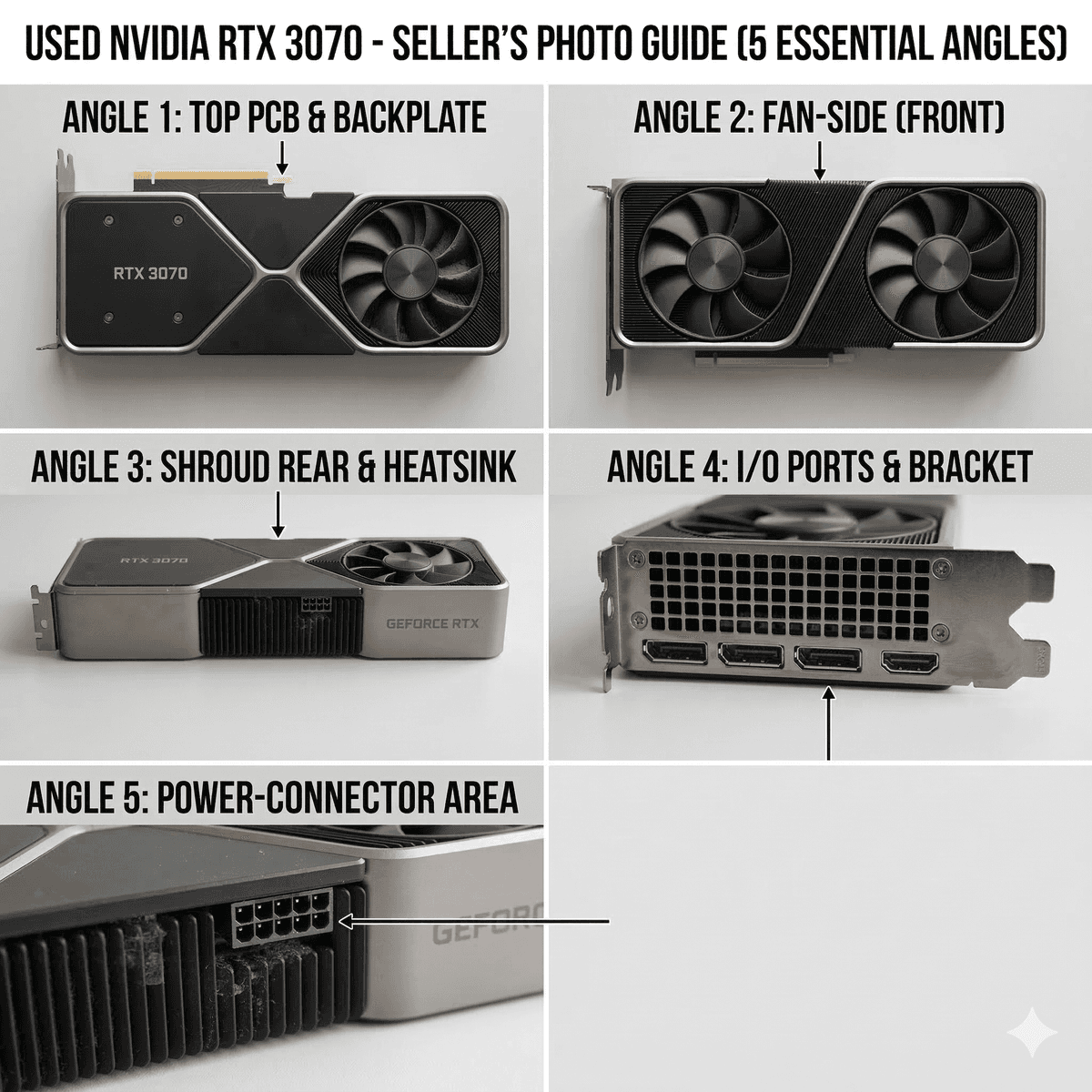
Five essential shots that separate a £250 sale from a £310 sale.
Listing details to include
- Exact model and variant: Not just "RTX 3080" — specify the brand (e.g. EVGA, MSI, ASUS), the specific SKU, and the VRAM amount. Buyers pay more for identifiable models.
- VRAM: Always state this explicitly. Cards with different VRAM variants (RTX 3080 10GB vs 12GB) command different prices.
- Usage history: Gaming only, creative workstation, or 24/7 compute. If the card was mined on, say so honestly — many buyers are fine with it if the price reflects the history.
- Gaming hours estimate: Even a rough figure ("used for approximately 2 years of weekend gaming") helps buyers judge wear.
- Overclock profiles: If you ran a custom OC, mention it. If it was always at stock settings, say that too.
- Benchmark results: A 3DMark Time Spy or Unigine Heaven screenshot proves the card performs as expected. This is the single best trust-builder in a GPU listing.
- What is included: Original box, anti-static bag, adapter cables, proof of purchase, warranty status. Cards with the original box sell for 5–10% more.
Example listing template
ASUS TUF Gaming RTX 4070 12GB OC Edition — used for approximately 18 months of weekend gaming at stock clocks. Never mined on, never opened. Runs 60–65°C under full load. 3DMark Time Spy score: 18,200 (screenshot attached). Includes original box, anti-static bag, and proof of purchase. Collection available in Manchester or shipped via Royal Mail Special Delivery (insured).
How to package and ship a GPU safely in the UK
GPUs are heavy, fragile, and expensive. A card that arrives damaged is a card you have to refund. Proper packaging is not optional — it is what separates a successful sale from a dispute.
Packaging step by step
- Anti-static bag: Always place the GPU in an anti-static bag first. If you do not have one, you can buy them for under £2 from Amazon or eBay. Never wrap a card directly in bubble wrap or newspaper — static discharge can kill a GPU.
- Original box (if available): The GPU's original box with its foam inserts is the best packaging possible. It was designed to protect this exact card during shipping.
- If no original box — the double-boxing technique: Place the GPU (in its anti-static bag) in a smaller box with foam or tightly packed crumpled paper on all sides. Then place that box inside a larger outer box with at least 3–5cm of padding between the inner and outer walls. This absorbs impacts from every direction.
- Fill all voids: Shake the package. If anything moves inside, add more padding. The card should be completely immobilised.
- Seal securely: Use strong parcel tape on all seams and edges.
- Label clearly: Mark the outer box with "FRAGILE" and "THIS WAY UP" labels. While couriers do not always honour these, it helps.
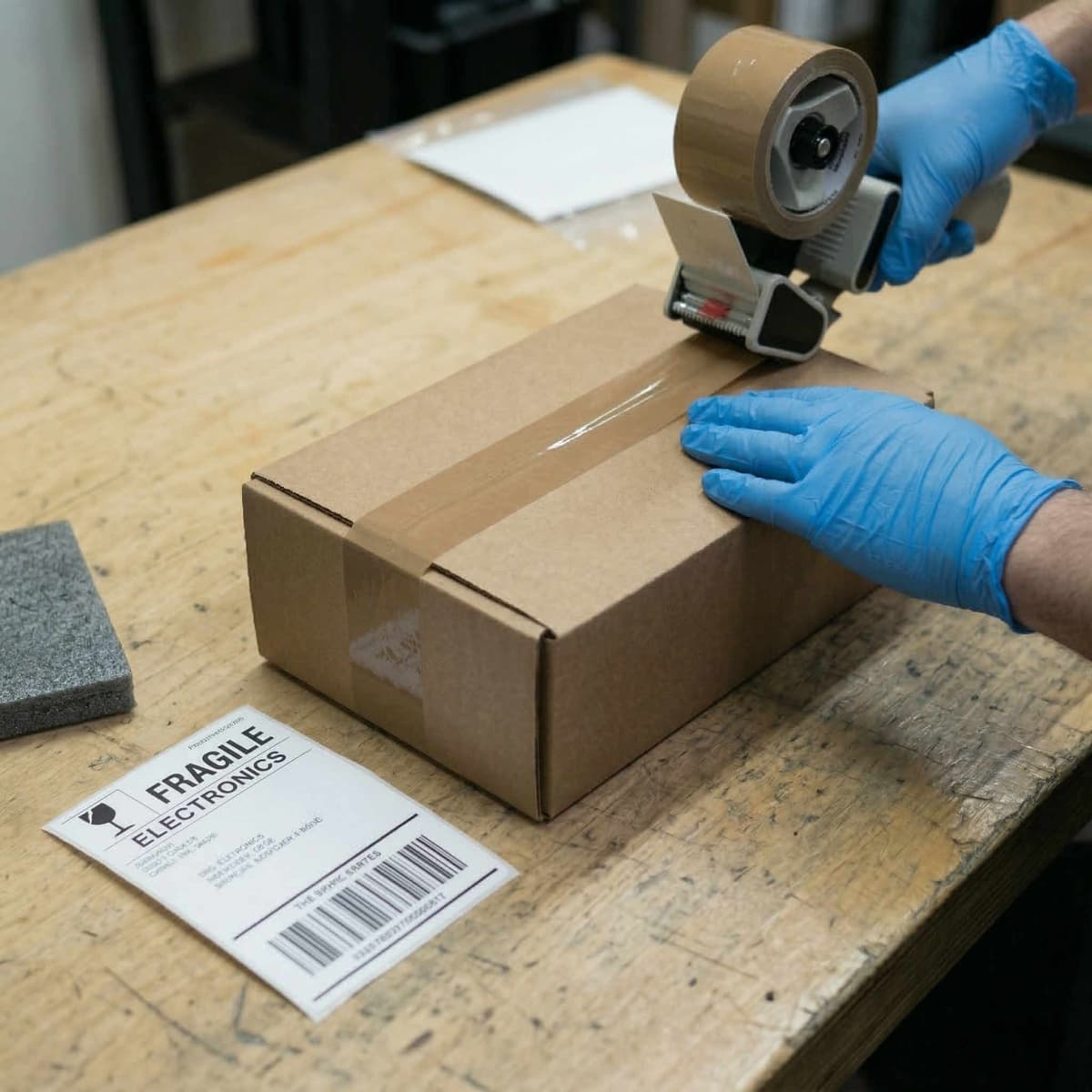
Double-boxing with an anti-static bag is the gold standard for GPU shipping.
UK shipping options for GPUs
GPUs typically weigh 800g–1.5kg including packaging. You need a service with adequate insurance and tracking. Here are the main UK options:
| Courier | Cost (approx.) | Insurance | Notes |
|---|---|---|---|
| Royal Mail Special Delivery by 1pm | £8–£12 | Up to £500 | Best option for most GPU sales. Next-day, tracked, signed for, and insured. |
| DPD | £6–£10 | Up to £300 (standard) | Good tracking and delivery windows. Slightly cheaper. Buy enhanced cover for high-value cards. |
| Evri (formerly Hermes) | £3–£6 | Up to £100 (standard) | Cheapest but lower insurance and less reliable handling. Not recommended for GPUs over £150. |
Recommendation: For any GPU worth over £150, use Royal Mail Special Delivery. The extra £4–£6 over budget couriers buys you proper insurance, tracked delivery, and a signature on receipt — which protects you if the buyer claims non-delivery.
Avoiding seller scams (protect yourself)
Scams do not only target buyers. Sellers in the UK used GPU market face their own set of risks. Understanding these common scams means you can avoid them entirely.
Fake payment confirmations
A scammer sends you a fabricated screenshot of a bank transfer or PayPal payment. The money never arrives. Never ship until the funds have fully cleared in your bank account. PayPal "pending" is not cleared. An email saying "payment received" is not confirmation — log into your actual banking app and verify.
"I'll send a courier" scams
The buyer says they will arrange a courier to collect and pay on their behalf. This is almost always a scam. The "courier" collects the GPU but the payment never materialises. If someone insists on this arrangement, walk away.
Chargeback and return fraud
The buyer receives the GPU, works fine, then files a PayPal dispute claiming "item not as described" or initiates a bank chargeback. They get a refund and keep the card. To protect yourself:
- Use platforms with seller protection (e.g. Koukan's verification system, eBay's seller protections).
- Always use tracked, signed-for delivery so you can prove it was received.
- Take a video of the card working and being packaged before shipping. Timestamped evidence defeats most false claims.
Overpayment scams
A buyer "accidentally" pays more than the asking price and asks you to refund the difference. The original payment is fraudulent and gets reversed, leaving you out of pocket for both the GPU and the "refund". Never refund overpayments — ask the buyer to cancel and repay the correct amount through the proper channel.
Golden rule for sellers
Never ship before payment has fully cleared. Never refund overpayments. Never accept off-platform payment from someone you do not know. If it feels rushed or pressured, it is a scam.
Frequently asked questions
How much does a used RTX 3070 sell for in the UK?
As of early 2026, a used RTX 3070 in good working condition typically sells for £160–£200 in the UK. Cards with the original box and a benchmark screenshot tend to sell at the higher end of this range. Pricing varies by brand — premium AIB models from ASUS, EVGA, and MSI command slightly higher prices than reference or budget designs.
Should I clean my GPU before selling?
Yes. A clean GPU photographs better and signals that the card was well maintained. Use compressed air to blow out dust from the heatsink fins and fan blades. Wipe the backplate and shroud with a dry microfibre cloth. Do not use water or cleaning chemicals on the PCB. A 10-minute clean can add £10–£20 to your sale price simply by improving buyer confidence.
Do I need to include the original box?
You do not need to, but it helps. GPUs with the original box and foam inserts sell for approximately 5–10% more than identical cards without packaging. The box also provides the best possible shipping protection. If you still have it, include it.
How long does it take to sell a GPU in the UK?
On active platforms, a competitively priced GPU with good photos typically sells within 3–7 days. Popular models like the RTX 3070, RTX 4070, and RX 7800 XT often sell within 48 hours. Overpriced listings or cards with poor photos can sit for weeks. If your card has not sold within 10 days, your price is likely too high.
What if the buyer says it's broken?
If you sold through a platform with buyer protection (eBay, Koukan), follow the platform's dispute process. If you took a video of the card working before shipping, this is your primary evidence. For direct sales (Facebook, Reddit), a pre-shipping video plus tracked delivery receipt is your best defence. This is why using tracked, insured delivery and documenting the card's condition before shipping is non-negotiable.
Should I reset or wipe my GPU before selling?
There is nothing stored on a GPU that needs wiping (unlike a hard drive). However, you should reset any custom overclock or fan curve profiles back to factory defaults using the manufacturer's software (e.g. MSI Afterburner, EVGA Precision). This ensures the buyer gets a clean, stock-settings experience out of the box.
Ready to sell? List your GPU on Koukan
You have timed it right, priced it fairly, and photographed it properly. Now list it where UK GPU buyers are actually looking — and where you keep 100% of the sale price.
Koukan charges 0% seller fees. Your listing reaches a verified community of UK PC hardware enthusiasts. No auction nonsense, no heavy commercial take rates, no algorithm games. Just a clean listing, a knowledgeable buyer, and a fair deal.
Need to value your full system? Used PC parts price guide UK covers every component. Buying instead of selling? How to buy a used GPU safely in the UK.
Quick reference: the seller's checklist
- 01Time it right. Sell 2–3 months before a new GPU generation lands. Avoid Black Friday week.
- 02Price from sold data. Check eBay sold listings and Koukan, not asking prices.
- 03Take five clear photos. Front, back, PCIe connector, display outputs, any damage.
- 04Include a benchmark. A 3DMark or Unigine screenshot proves performance and builds trust.
- 05Be honest about history. Mining, overclocking, and hours of use. Honesty prevents disputes.
- 06Package properly. Anti-static bag, double-box, fill all voids, "FRAGILE" label.
- 07Ship tracked and insured. Royal Mail Special Delivery for cards over £75 (Tracked 24/48 compensation was reduced to £75 in October 2025).
- 08Never ship before payment clears. Verify funds in your bank — not via screenshots or emails.
Advertisement