Best Used CPUs to Buy in the UK (2026): Every Budget Ranked
Advertisement
In 2026, buying a used CPU is the single highest-leverage hardware move you can make. Intel's Arrow Lake launch and AMD's Ryzen 9000 series have flooded the UK second-hand market with last-generation AM4 and LGA1700 chips at prices that make buying new look absurd. You can pick up a processor that was £300 at launch for well under £100 today.
Unlike graphics cards, CPUs do not wear out from gaming. They either work or they do not. There are no degraded shaders, no fan bearing failures, no thermal paste disasters hiding inside a heatsink—a processor that posts and runs stable is as good as the day it left the factory. That makes the used CPU market uniquely safe compared to used GPUs.
We ranked the 8 most compelling used CPUs on the UK market in 2026 by a single measure: real-world value per pound—factoring in gaming and productivity performance, platform longevity, UK availability, and total cost of ownership including cooler and motherboard. For a walkthrough of the full buying process, see our guide on how to buy a used CPU online in the UK. If you are unsure whether the parts you are considering will work together, our PC parts compatibility checker guide is the place to start.
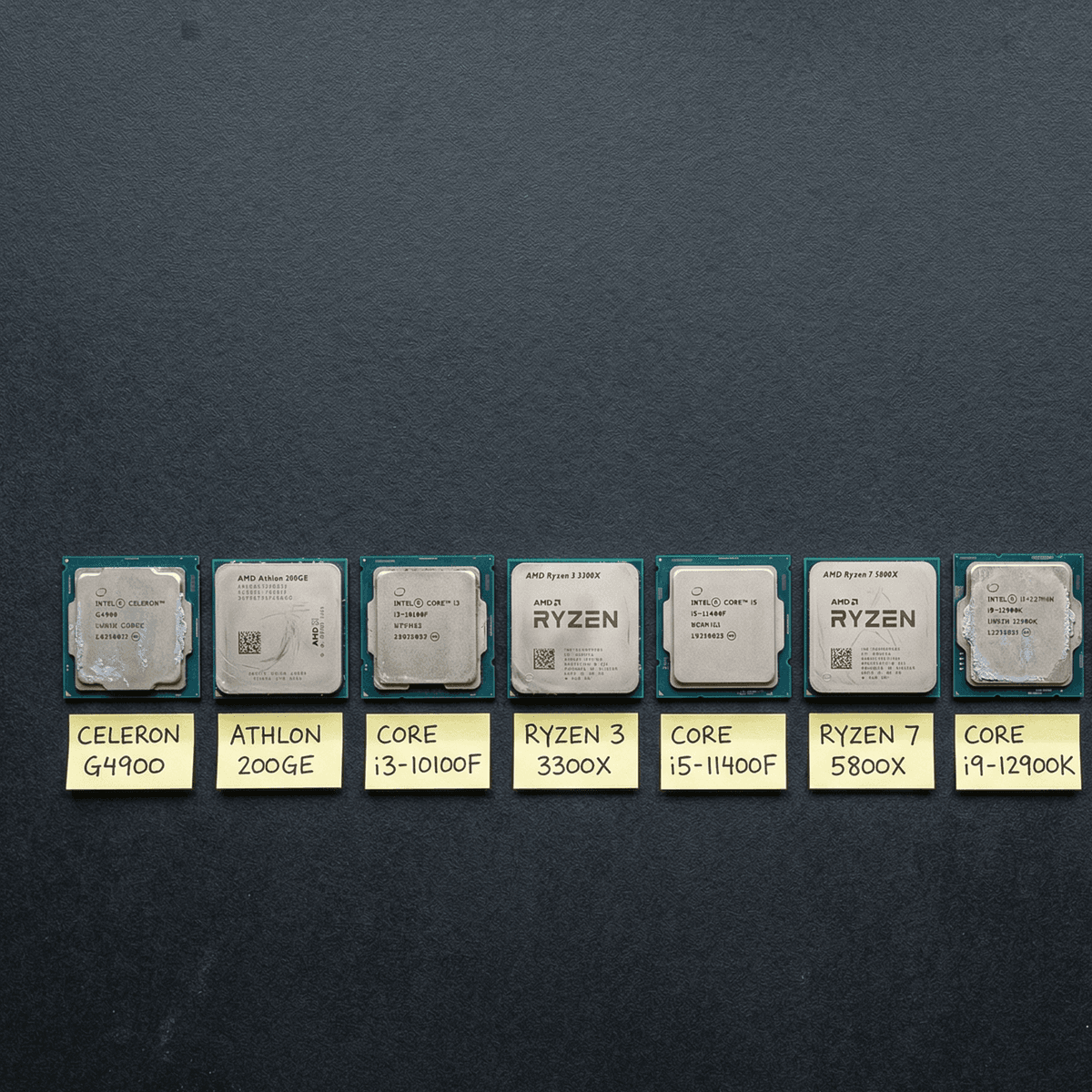
Eight chips, every budget—ranked by real value, not spec sheet numbers.
The 8 best used CPUs in the UK, ranked
Every chip below was evaluated against four criteria: gaming and productivity performance relative to its price, UK used-market availability, platform longevity (is the socket worth investing in?), and total cost of ownership accounting for motherboard and cooler. Prices reflect actual completed UK listings in early 2026.
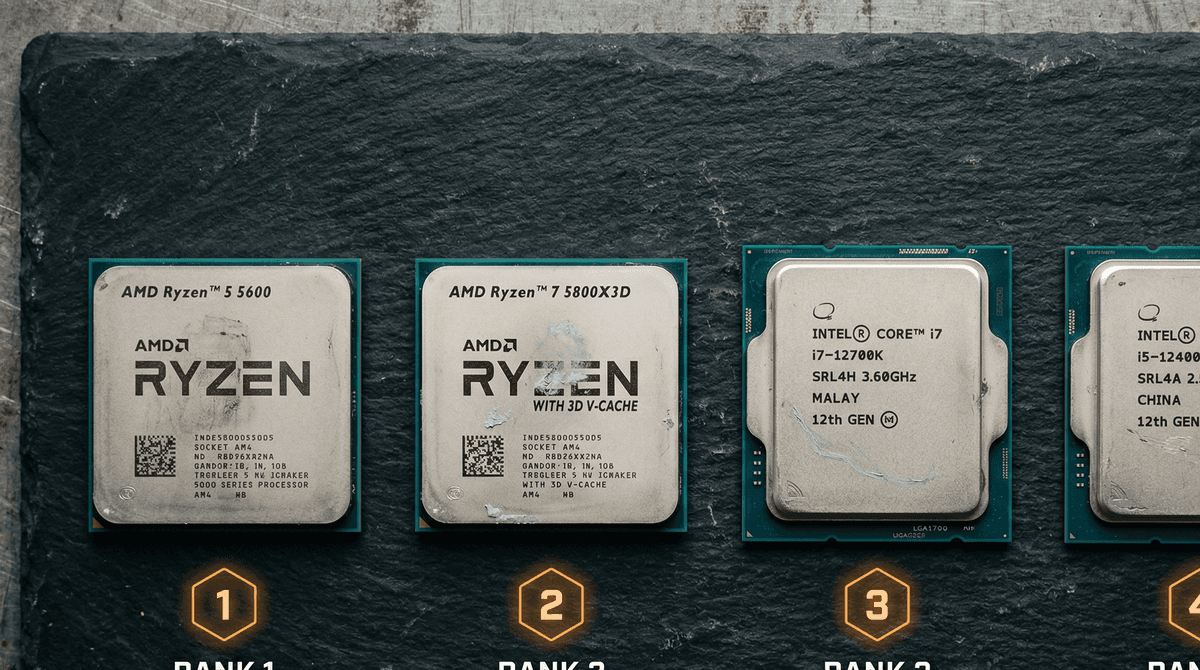
AMD Ryzen 5 5600
BudgetThe Ryzen 5 5600 is the easy number-one. At £55–£65 for a chip launched at £239, it is genuinely difficult to spend this money better anywhere in the PC hardware market. Zen 3's instructions-per-clock improvement over Zen 2 was the largest generational leap AMD had delivered in a decade, and the 5600 packages that silicon into six highly efficient cores at an absurd price.
For 1080p gaming, the Ryzen 5 5600 is effectively the floor at which CPUs stop being a bottleneck. Paired with a mid-range GPU—an RTX 3060 or RX 6700 XT—you will not find a scenario where the CPU is the limiting factor in a modern game. Frame times are clean, minimum fps is strong, and latency is excellent.
The total platform cost is what makes this exceptional. A B450M or B550M motherboard can be found used for £40–£55. The 5600 ships with AMD's Wraith Stealth cooler, which handles the chip's 65 W TDP without drama. An entry gaming PC CPU + motherboard + cooler for around £100 combined is something the new market simply cannot compete with.
The only meaningful caveat is upgrade path—AM4 is technically a dead socket, with no further AMD CPUs planned for it. But if you are on this budget, the upgrade path discussion is somewhat academic. Buy the 5600, game for two years, then reconsider the entire platform.
Pros
- +Best price-to-performance ratio of any CPU on this list
- +Zen 3 IPC still competitive with far newer chips
- +AM4 ecosystem is cheap and mature—B450/B550 boards from £40
- +Included Wraith Stealth cooler handles most gaming loads
Cons
- −6 cores may feel limited in heavily threaded workloads
- −No integrated graphics—requires a discrete GPU
- −AM4 platform has no upgrade path beyond 5000-series
Intel Core i5-12400F
BudgetIntel's Core i5-12400F was widely considered the best gaming CPU launched in 2022, and at £70–£85 used it remains one of the best gaming CPUs at any price in 2026. Alder Lake's hybrid architecture introduced a new level of IPC efficiency to the mainstream, and the 12400F packages six Performance cores without any Efficiency cores—a configuration that is essentially ideal for gaming workloads.
Single-thread performance is outstanding. In titles that stress a game engine's main thread—open world games, games with complex AI simulation, heavily scripted titles—the 12400F pulls ahead of older AMD counterparts. Frame consistency, especially minimum fps, is where it shines most.
The platform upgrade story is notably better than AM4. An LGA1700 B660 or B760 motherboard will accept i5-12400F through to i9-13900K with a BIOS update, giving you meaningful headroom if your budget grows. That said, budget B660 boards in the UK used market can be found for £50–£65, keeping total platform cost competitive.
Pros
- +Exceptional IPC and single-thread performance
- +6P+0E core layout is perfectly tuned for gaming
- +LGA1700 platform supports up to i9-13900K upgrades
- +Extremely low power draw for its performance tier
Cons
- −No integrated graphics (F-series)
- −LGA1700 motherboards cost slightly more than AM4 equivalents
- −DDR4 platform—check motherboard before buying
AMD Ryzen 7 5700X
Mid-RangeTwo extra cores make a meaningful difference the moment you move beyond pure gaming. The Ryzen 7 5700X delivers eight Zen 3 cores at 65 W—a genuinely unusual combination of thread count and efficiency. If you stream, record video, run a virtual machine, or keep browser-heavy workflows open alongside your games, the step from six to eight cores is noticeable.
At £80–£95, the 5700X asks only £20–£30 more than the 5600. For a streaming setup or a content-creation workstation on a tight budget, that premium is easily justified. Handbrake, DaVinci Resolve, and OBS all scale well across the two additional cores, and the lower TDP means you are not fighting thermals at the same time.
For a complete low-budget build around the 5700X, our cheap gaming PC build guide for the UK runs through compatible parts at every price point.
Pros
- +8 Zen 3 cores—ideal for streaming while gaming
- +65 W TDP runs cool on modest coolers
- +Outstanding multi-thread productivity performance for the price
- +Ships without a cooler but runs on almost anything 65W+
Cons
- −Slight IPC deficit versus 5600X in lightly threaded games
- −No integrated graphics
- −AM4 dead-end socket (same caveat as all AM4 picks)
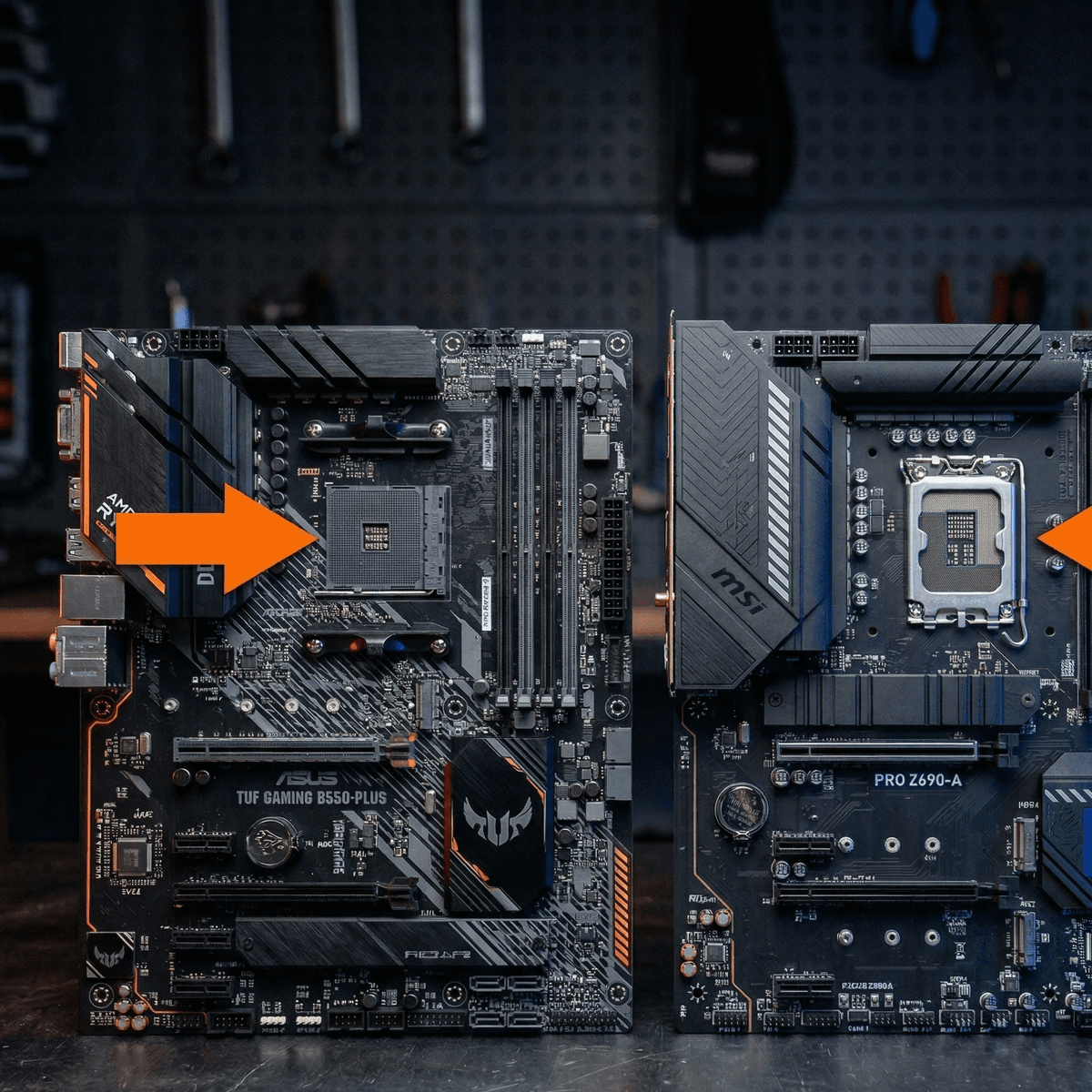
AM4 (left) vs LGA1700 (right)—the two platforms dominating the UK used CPU market in 2026.
AM4 vs LGA1700: which platform is worth buying into?
AMD AM4
Ryzen 1000–5000 series
- →Widest used parts selection in the UK
- →Cheapest motherboards—B450/B550 from £35 used
- →Proven 7-year socket lifespan
- →No upgrade path beyond 5000-series
- →DDR4 only—no DDR5 support
- →Best for: budget builds, AM4 upgrades
INTEL LGA1700
12th–13th Gen (Alder/Raptor Lake)
- →Supports 12th and 13th Gen on same board
- →Good motherboard supply—B660/B760 from £45 used
- →Upgrade path to i9-13900K
- →Slightly pricier entry than AM4
- →DDR4 and DDR5 boards available
- →Best for: longevity, future CPU upgrades
Our verdict: If you are starting from scratch with the smallest possible budget, AM4 wins on total cost. If you can stretch to a B660 board and an i5-12400F, LGA1700 gives you a more meaningful upgrade path and marginally better single-thread performance. Either platform will serve you well for two to three years of gaming.
Intel Core i7-12700K
Mid-RangeThe i7-12700K is where the Intel platform starts pulling ahead of AM4 for multi-discipline workloads. Twelve cores—eight Performance and four Efficiency—make this a chip that can genuinely handle gaming, streaming, video editing, and background tasks concurrently without breaking a sweat.
At £85–£100, you are buying a processor that launched at £399 and competed directly with AMD's best. It remains one of the fastest chips you can use for lightly threaded tasks like gaming while also having enough additional cores to make content creation and video work feel immediate rather than plodding.
The important caveat: the K-suffix means this chip is designed for Z-series motherboards. A Z690 or Z790 board in the UK used market runs £70–£100. Factor that into your total platform cost. If you want the 12700 without the overclocking premium, the non-K 12700 runs on cheaper B660 boards and gives up very little in real-world gaming performance.
Pros
- +12 cores (8P + 4E)—exceptional multitasking and productivity
- +Strong gaming performance matching modern mid-range chips
- +Unlocked multiplier for overclocking on Z690/Z790
- +Handles video editing, 3D rendering, and streaming simultaneously
Cons
- −125 W base TDP—needs a quality cooler (budget for £30–£40)
- −K-series requires Z-series motherboard to unlock performance
- −Power consumption noticeably higher than Ryzen 5000
AMD Ryzen 5 5600X
BudgetThe Ryzen 5 5600X is the original Zen 3 launch chip—the 5600 (non-X) arrived later as a cost-reduced variant. In raw benchmarks the 5600X has a slight boost clock advantage and ships with the slightly more capable Wraith Spire cooler rather than the Stealth.
In practice, you will not feel the difference in games. The performance gap in gaming benchmarks is typically 1–3 fps at 1080p—numbers that disappear into noise in real usage. The reason it sits at number five rather than number one is simply value: the 5600 (non-X) delivers 97–99% of this chip's gaming performance for £5–£10 less.
When to pick the 5600X over the 5600: if listings in your area have the 5600X at the same price or within £5, take the X. The Wraith Spire cooler alone is worth the premium. If the gap is £10 or more, buy the 5600 and keep the change.
Pros
- +Slightly higher boost clocks than the non-X 5600
- +Includes Wraith Spire cooler—an upgrade over Stealth
- +Ships with the same Zen 3 core as all AM4 picks here
- +Negligible premium over 5600 for a small but real gain
Cons
- −Performance delta vs 5600 is barely measurable in games
- −Costs £5–£10 more than the 5600—not always justified
- −Same AM4 dead-end caveat applies
AMD Ryzen 7 5800X3D
High-EndThe Ryzen 7 5800X3D is not just another used CPU—it is a piece of computing history. AMD's 3D V-Cache technology stacked an extra 64 MB of L3 cache directly on top of the Zen 3 compute die, producing a chip with 96 MB of L3 total. The result is a processor that reduces memory latency so significantly that it outperforms chips with far higher clock speeds in gaming workloads.
For AM4 users looking for a final upgrade, nothing comes close. The 5800X3D can produce 10–30% higher frame rates than a 5600X in CPU-limited scenarios—particularly in open-world games, strategy titles, and simulation games where the CPU is the hard constraint. At 1080p competitive gaming, the gains are largest.
At £120–£140 it makes most sense as an upgrade for someone already on an AM4 board. As a first-time build processor, the higher platform exit cost compared to buying a full AM4 kit around a 5600 makes it a harder case to argue. But for the right buyer, this is the best £140 you will spend on a gaming PC.
Pros
- +Fastest AM4 gaming CPU ever made—still best-in-class for its socket
- +3D V-Cache delivers 15–30% gaming gains over standard 5800X
- +Strong performance in CPU-bound titles at any resolution
- +Worth every penny if you already own an AM4 board
Cons
- −Cannot be overclocked—V-Cache is thermally sensitive
- −Higher price means less value uplift vs. i5-12400F for a full build
- −Productivity performance trails 5800X (lower power limits to protect cache)
What cooler should you pair with each pick?
Most used CPU listings do not include a cooler. Here is what to budget for at each tier.
CPU
Ryzen 5 5600 / 5600X
Cooler
Included Wraith Stealth / Spire
Stock cooler handles 65 W at reasonable ambient temperatures. Thermal paste pre-applied.
CPU
Ryzen 7 5700X
Cooler
Deepcool AK400 or similar
65 W TDP suits any entry tower cooler. Box does not include a cooler—factor this in.
CPU
i5-12400F
Cooler
Intel Laminar RM1 (bundled) or budget 120mm tower
Ships with an Intel Laminar cooler which is adequate for stock operation.
CPU
i7-12700K / i9-12900K
Cooler
DeepCool AK620 or 240mm AIO
125 W+ TDP needs a proper cooler. Do not run K-series on a 65W-rated unit.
CPU
Ryzen 7 5800X3D
Cooler
Any 120mm tower (e.g. Hyper 212)
105 W TDP but cannot be overclocked—a good mid-range tower is more than sufficient.
CPU
Ryzen 9 5900X / i9-12900K
Cooler
240mm AIO or Deepcool AK620
High sustained workloads push these chips hard. Budget for real cooling.
Intel Core i9-12900K
High-EndWhen the Core i9-12900K launched in late 2021 it was Intel's best desktop processor and a genuine statement chip. Alder Lake's hybrid architecture at its most extreme— eight Performance cores and eight Efficiency cores—produced a 16-core configuration that demolished the competition in heavily threaded workloads while remaining competitive in gaming.
At £130–£155, this is now a workstation-class processor at a gaming CPU price. 3D rendering, video encoding, compilation, scientific computing—any task that benefits from sustained parallel throughput will run visibly faster here than on any other chip on this list. For a creative professional working in Premiere, Blender, or DaVinci Resolve, the 12900K's multi-thread performance is transformative at this budget.
The ceiling to be aware of: this chip loves power. Under sustained load on a premium cooler, it will consume 200+ watts from the CPU alone. Budget for a quality 240mm AIO or top-end air cooler (£35–£55 used), and make sure your PSU is rated 750 W or above. For gaming specifically, the i7-12700K is a more sensible buy—but for productivity-primary builds, the 12900K justifies every penny.
Pros
- +16 cores (8P + 8E)—workstation-class multithreading at used-market prices
- +Top-tier single-thread performance for gaming
- +Handles professional creative workloads without compromise
- +Unlocked for extreme overclocking on Z690/Z790
Cons
- −241 W Maximum Turbo Power—needs a premium cooler and quality PSU
- −Requires Z690/Z790 motherboard—total platform cost rises
- −DDR5 motherboards add further cost if pursued
AMD Ryzen 9 5900X
High-EndAMD's flagship AM4 productivity processor, the Ryzen 9 5900X packs twelve Zen 3 cores into the AM4 socket at 105 W. When it launched at £549, it was the undisputed multi-thread king of the mainstream desktop. At £110–£130 used, it is now an extraordinary value proposition for anyone whose work involves heavy CPU-bound tasks.
In gaming, the 5900X matches the 5600X closely—extra cores do not translate to extra frames unless a title is specifically threaded to use them, and few consumer games are. Where it excels is everywhere else: simultaneous streaming and gaming, Handbrake encoding, Blender renders, and any pipeline running multiple parallel tasks. The twelve cores absorb workloads that would stutter even the 5700X.
For a gaming-only system, save the money and buy a 5600. The 5900X is the right pick if you are building a multi-purpose machine—a rig that games in the evening and runs productivity software during the day. It is also an outstanding upgrade for any existing X570 or B550 board owner looking for the ceiling of AM4 performance. For understanding total build costs, see our used PC parts price guide for the UK.
Pros
- +12 Zen 3 cores—best multi-thread AM4 chip outside the 5950X
- +Content creators' favourite: fastest AM4 for video and render work
- +Excellent gaming performance with strong IPC
- +Ships without cooler—add a quality unit for best results
Cons
- −105 W TDP—needs a proper cooler, not stock
- −Gaming performance matches 5600 closely—overkill for gaming-only
- −AM4 dead-end socket limits future value
How to avoid fakes and bent pins
The good news: used CPUs are far safer to buy used than used GPUs
A working CPU either posts or it does not. Unlike GPUs, there are no degraded shader units, no mining wear, no overclocked memory to worry about. The risks are limited to three areas: counterfeit chips, physical damage, and (for AMD) bent socket pins.
Spotting fakes
- ·Check IHS (top of chip) engraving matches the model number
- ·Verify serial numbers via AMD/Intel lookup tools
- ·Fake Ryzen chips often have blurry or off-centre printing
- ·Ask for CPU-Z screenshot before buying
- ·Buy from reputable platforms like Koukan where sellers are verified
Bent AM4 pins
- ·AMD AM4/TR4 sockets have pins in the motherboard, not the CPU
- ·Inspect the motherboard socket—not the CPU—for bent pins
- ·Use a magnifying glass or phone camera to check all corners
- ·Bent pins can often be straightened with a mechanical pencil tip
- ·Avoid listings where the seller mentions 'bent pin' unless very cheap
Intel LGA safety
- ·LGA means pins are on the motherboard, not CPU—same story as AMD
- ·LGA1700 is large—inspect the socket grid carefully
- ·CPU contact pads are robust—harder to damage than AMD ILM
- ·Check for thermal paste residue on CPU contact pads
- ·Any corrosion or discolouration on pads is a red flag
Ready to find your next CPU?
Koukan is the UK's dedicated marketplace for used PC parts. Every listing is from a real UK seller, and our community-driven reputation system helps you buy with confidence.
Browse Used CPUs on KoukanFrequently asked questions
Is it safe to buy a used CPU in the UK?
Which is better value in 2026: AM4 or LGA1700?
Do used CPUs come with a cooler?
What CPU should I buy for a £400 used PC build?
Is the Ryzen 7 5800X3D worth the premium over the 5600?
The bottom line
In 2026, the best used CPU is almost always either a Ryzen 5 5600 for under £65 or an i5-12400F for under £85. Both chips are generationally fast, widely available in the UK, and supported by mature, affordable platform ecosystems. If your budget allows, the Ryzen 7 5700X at £80–£95 is the right step for streaming and productivity, and the Ryzen 7 5800X3D remains the apex of AM4 gaming performance for those on an existing board.
The entire AM4 and LGA1700 ecosystems now exist at prices that make the new CPU market look embarrassing. A platform that cost £600–£700 at launch—CPU, motherboard, and RAM—can be assembled for under £150 from UK used listings in 2026. There has never been a better time to build or upgrade on a second-hand platform.
For further reading, check our complete guide to buying a used CPU online in the UK, the full used PC parts price guide, and our compatibility checker guide to make sure every part you buy will actually work together.
Advertisement