How to Spot an Ex-Mining GPU in the UK: Visual Signs, BIOS Checks & Stress Testing
Advertisement
During peak cryptocurrency booms, hundreds of thousands of graphics cards—predominantly NVIDIA RTX 30-series (RTX 3060, 3070, 3080) and AMD Radeon RX 5000/6000 series—were deployed into industrial mining rigs. While many operated 24/7 in undervolted, climate-controlled data centres, others suffered in humid UK garages, choked by dust, subjected to relentless memory thermal cycling, and flashed with modified firmware.
In 2026, many of these cards continue to circulate across second-hand platforms like eBay UK, Gumtree, and Facebook Marketplace, often disguised with claims like “only used lightly by my son for homework and light Minecraft.” Here is your forensic blueprint to determining whether a used GPU spent years slaving on the blockchain.
Physical & Visual Tells (Before Powering On)
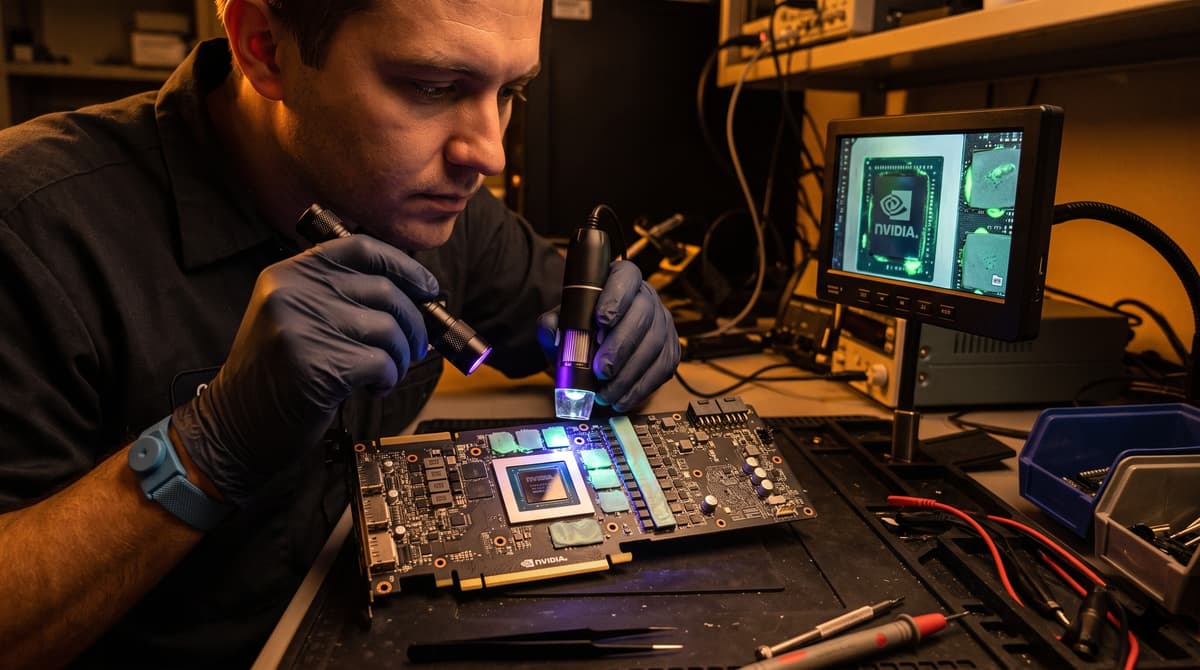
Carefully inspect the physical hardware under bright white directional light:
Oily Residue Around VRAM Chips
When VRAM thermal pads are baked at 95°C–105°C for thousands of hours, the silicone binder separates and leaches oily liquid across the surface of the PCB. This residue attracts dust like a magnet, creating sticky, dark patches around memory traces.
Yellowed PCB & Memory Underfill
Prolonged thermal exposure causes clear flux residue and the protective green/black solder mask on the backside of the GPU core and GDDR6X chips to take on a telltale yellowish-brown tint.
Loose or Grinding Axial Fans
Mining rigs frequently run cooling fans at 80% to 100% fixed RPM for 18+ months straight. Push gently on the fan hubs: excessive play, grinding friction, or oily dust around the motor spindle signals worn sleeve bearings.
Stripped Heatsink Screws & PCIe Riser Marks
Mining rigs use open-air USB PCIe risers, which often leave distinct clamping scratches on the gold PCIe edge connector. Stripped spring-screws indicate amateur thermal paste repasting.
Software Diagnostics: Spotting Mining VBIOS & Memory Degradation
Once installed in a test rig, run these digital verification steps:
1. Verify VBIOS Version in GPU-Z
Step 1Download TechPowerUp GPU-Z. Look up the exact BIOS Version string. Compare it against the TechPowerUp VGA Bios Collection for your exact card make and model. If the sub-vendor reads “Generic”, or if memory timings are heavily tightened with a low 200W power limit, someone flashed a crypto mining BIOS.
2. Run OCCT VRAM Memory Stress Test
Step 2Crypto mining hammers video RAM far harder than the GPU core. Download OCCT, select the VRAM Test, set memory allocation to 90%, and run it for 20 minutes. If the error counter ticks above zero, one or more GDDR6/GDDR6X memory chips have developed micro-fractured solder balls.
3. HWInfo64 Memory Junction Temp Delta
Step 3Run 3DMark Time Spy or Unigine Superposition. In HWInfo64, compare GPU Temperature vs GPU Memory Junction Temperature. On a healthy card, the delta should not exceed 18°C–22°C. If the core sits at 65°C but memory spikes to 105°C, thermal pads are degraded or dried out.
Should You Ever Buy an Ex-Mining GPU?
Yes—if the price accurately reflects the history. If an honest seller is upfront about mining history, prices the card 25% to 35% below typical market value, and allows you to stress test it, it can represent remarkable value.
For safe pricing guidelines, check our How Much Is My GPU Worth? UK Guide and Complete GPU Testing Workflow.
Frequently Asked Questions
Does crypto mining cause permanent silicon degradation?
Modern GPUs feature robust internal telemetry that prevents silicon electromigration unless overvolted with custom hardware mods. The primary failure modes are thermal interface material (TIM) dry-out, thermal pad breakdown, fan bearing wear, and BGA solder fatigue on memory packages.
Which GPU models were most heavily used for mining?
NVIDIA GeForce RTX 3060 Ti, RTX 3070, and RTX 3080 non-LHR models, alongside AMD Radeon RX 470/480/570/580 and RX 5700 XT, were the primary workhorses of Ethereum mining farms.
How can I flash an original factory BIOS back onto an ex-mining card?
Download NVIDIA NVFlash or AMD VBFlash alongside the exact verified VBIOS ROM from TechPowerUp. Flashing over an undervolted mining BIOS restores default clock boosts, fan curves, and display output compatibility.
Buy Verified Graphics Cards on Koukan
Avoid mining traps with Koukan's escrow payment protection. Test VRAM, verify clock speeds, and check thermals at home before releasing payment to the seller.
Advertisement