Buying a Second-Hand PC in the UK: What to Check Before You Buy

Advertisement
If you’re about to buy a second-hand PC in the UK, you can get incredible value—especially for gaming or a first “proper” desktop. But complete systems are also where sellers can hide problems: unstable GPUs, tired power supplies, and machines that look tidy in photos but struggle under load.
This guide is a practical checklist you can follow before you pay. If you want broader component-specific advice (GPUs, storage, PSUs), start with our pillar guide: How to buy used PC parts safely in the UK.
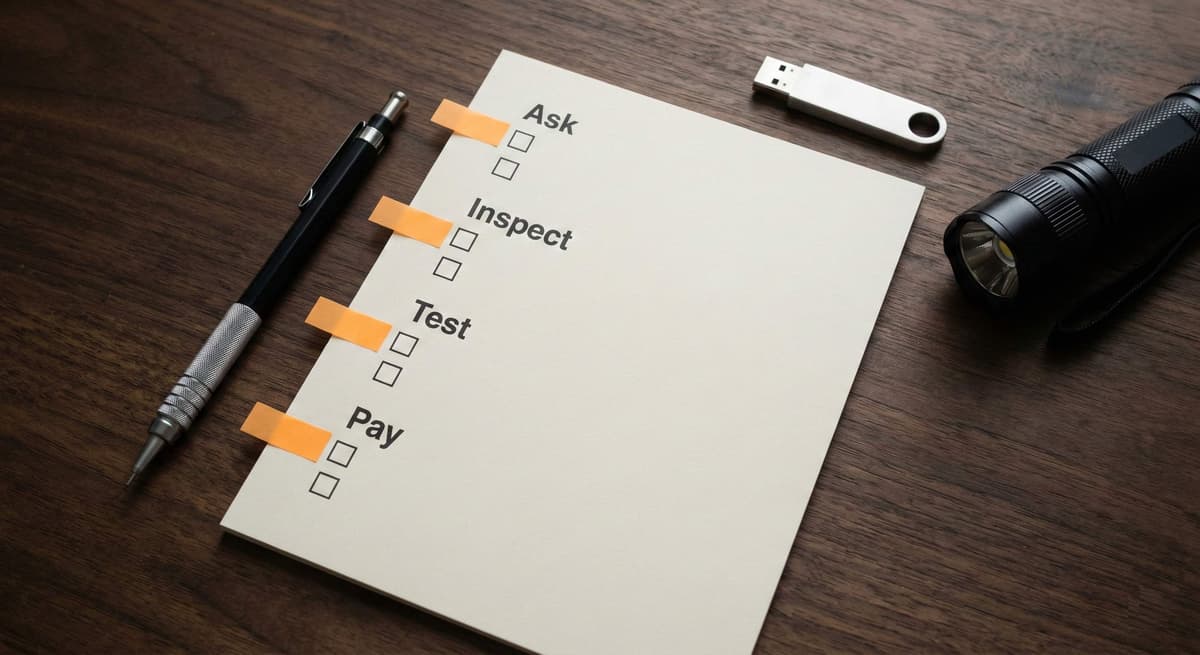
Quick view: the checks that catch most UK used-PC disasters.
The 10-point second-hand PC checklist (save this)
If you only do one thing, do this. It’s designed for UK pickups and courier deliveries.
- Confirm the exact specs in writing (CPU, GPU, RAM, storage, motherboard, PSU model).
- Ask for a video showing boot, Windows login, and the system running a quick load.
- Check temperatures under load (CPU + GPU not thermal throttling).
- Verify storage health (SMART screenshot for SSD/HDD).
- Inspect the PSU label and cables; avoid unknown or missing modular cables.
- Look for physical red flags: bent ports, cracked PCIe latch, corrosion, liquid residue.
- Confirm the PC matches the listing photos (serial sticker area, GPU backplate, case details).
- For local pickup: test basic I/O (USB, audio, Wi‑Fi/Ethernet, display output).
- Pay safely (avoid bank transfer to strangers; use protections where possible).
- Get what you’re owed: power cable, Wi‑Fi antennas, spare PSU cables, boxes/receipts if available.
If you’re already comparing parts value, this helps: best GPU/CPU combinations.
Before you message the seller (avoid wasting time)
Decide what “good enough” looks like
A used PC can be a bargain or a trap depending on your expectations. Be specific about your target:
- Gaming: prioritize GPU model, PSU quality, and cooling.
- Work/study: prioritize CPU, RAM capacity, storage health, and quiet operation.
- Upgrading later: prioritize motherboard platform and PSU headroom.
Understand the “used PC premium”
Many UK listings price a full build higher than the sum of its parts because it’s ready-to-go. That can be fair—just make sure you’re not paying a premium for mystery components.
Questions to ask (copy/paste message)
Copy/paste: Hi! Can you confirm the exact CPU/GPU/RAM/storage and the PSU model? Any issues under load (crashes, black screens, loud fan spikes)? Can you share a short video of it booting and running a quick game/benchmark plus CPU+GPU temperatures? Also: why are you selling and how long have you owned it?
If the seller won’t provide basic proof, move on. You’ll find another listing.
Visual inspection: what to look for in photos (and in person)
Case + ports
- Check front USB and audio ports: damage here often signals rough handling.
- Look for missing screws, stripped heads, or panels that don’t align.
Inside the case
- Dust is fine (it’s normal). Sticky residue, corrosion, or white powdery buildup is not.
- Look at GPU sag, cracked plastic on the PCIe slot latch, and messy power cabling.
- Ask for a close photo of the PSU label—“no name” units are a common weak point.
Storage
For SSDs and HDDs, ask for a SMART/health screenshot. If the seller doesn’t know what that is, point them to a basic tool and see if they cooperate. More detail is in the component guide: buy used PC parts safely in the UK.
Testing a used PC (fast, realistic, and hard to fake)
For local pickup (15–20 minutes)
- Boot to Windows and confirm basic responsiveness (no stuttering, no constant 100% disk usage).
- Open Task Manager and check the CPU and RAM roughly match the listing.
- Run a short GPU load (a demanding game menu or quick benchmark) and watch for artifacts or crashes.
- Check temperatures: sustained extreme temps and loud fan panic can indicate poor cooling or dried paste.
For courier delivery
Courier builds can arrive with a knocked GPU or loosened cables. Film the unboxing, then immediately:
- Check the GPU is fully seated and power connectors are secure.
- Boot and run a short GPU load test while monitoring temps.
- Verify storage health and that Windows activation looks legitimate.
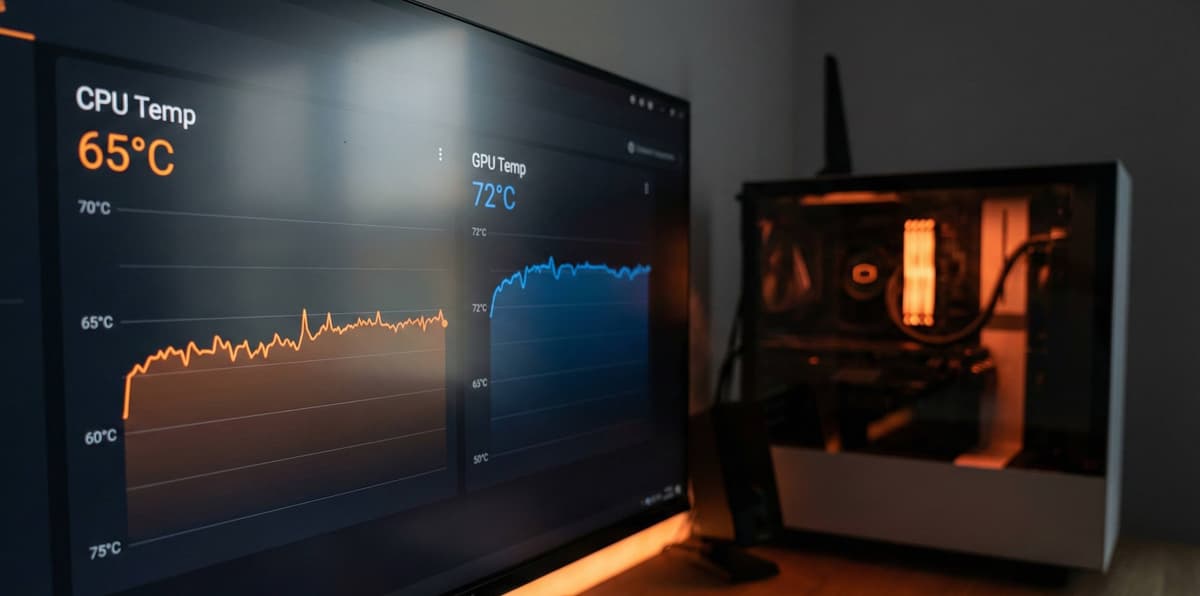
A quick stability run: you’re looking for “boringly stable”.
Payment, collection, and safety (UK-specific)
Safe payment basics
- Avoid paying strangers by bank transfer when you have no buyer protection.
- If collecting, prefer meeting somewhere you can test the PC (or at least see it running).
- Keep communication in-platform where possible; it helps if there’s a dispute.
Collection checklist
- Bring a known-good HDMI/DisplayPort cable (and a spare, if you can).
- Bring a USB stick with a lightweight test or a game launcher you know.
- Bring a torch (you’re inspecting connectors, not vibes).
Pricing: when a used PC is a good deal
A fair price depends on the parts, condition, and proof. Use the listing to reduce uncertainty:
- If the seller provides benchmark proof, receipts, and a clear PSU model, a higher price can be justified.
- If the build includes unknown parts (especially PSU or storage), price should reflect the risk.
If you’re buying mostly for the GPU, cross-check current value with your target tier: best graphics cards under £500.
FAQs
What should I check before buying a second-hand PC?
Confirm the full specs in writing, get proof it runs under load, check CPU/GPU temperatures, verify storage health, and avoid unknown power supplies. For local pickup, test boot and basic I/O.
Is it safe to buy a used gaming PC in the UK?
It can be safe if you verify the GPU stability, PSU quality, and seller accountability. Avoid rushed payment, insist on proof, and walk away from listings with vague specs or missing testing.
What are the biggest red flags when buying a used PC?
Refusing to show it running, unclear or changing specs, pressure to pay immediately, off-platform payment requests, and “no returns” paired with no testing proof.
Should I buy a used PC or build one from used parts?
If you want simplicity, a complete used PC can be great value. If you want maximum control and the ability to verify each component, building from used parts is often safer. This pillar guide helps either way: buy used PC parts safely in the UK.
Final check: don’t buy the story—buy the proof
The best second-hand PCs come with boring evidence: clear photos, stable temps, and a seller who answers straightforward questions. If anything feels rushed or slippery, let it go.
When you’re ready to browse, take a look at Koukan listings and filter for the components that matter most in a used build (GPU, CPU, and storage). No hard sell—just use it as a price and condition reference.
Looking for more context? Read the 2026 buyer guide and the complete seller guide to understand how good listings should look.
This post intentionally links to the pillar guide and adjacent posts to strengthen topical authority.
Advertisement