How to Sell a Used CPU in the UK for the Best Price
Advertisement
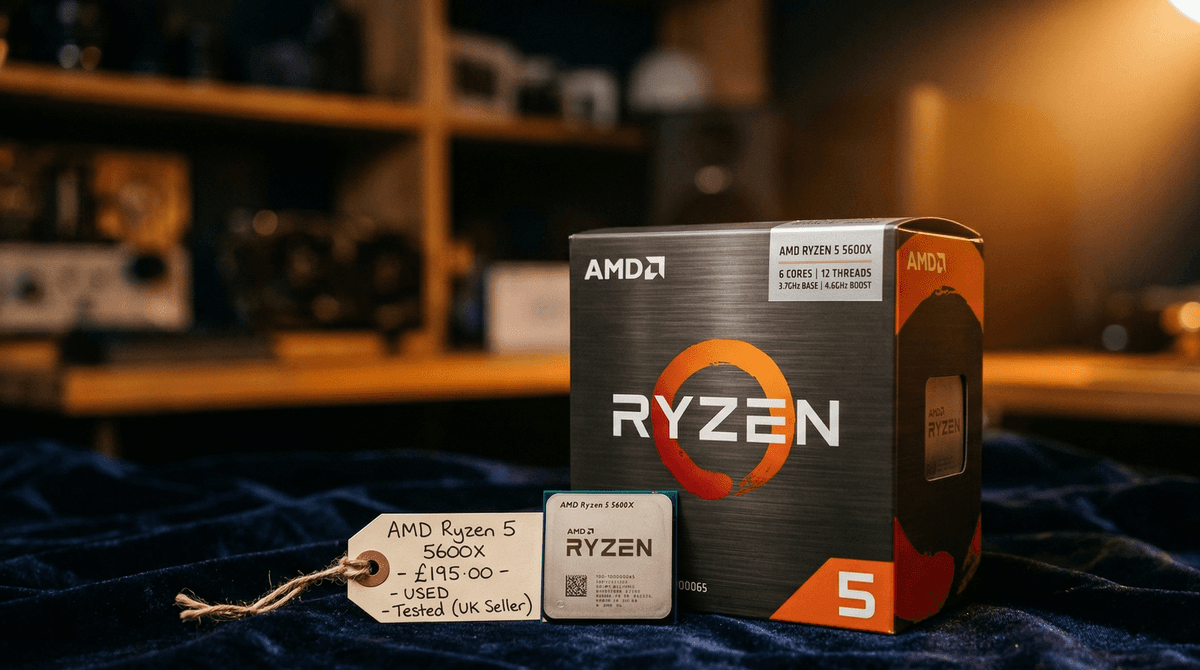
A CPU is not as easy to verify at a glance as a GPU — there is no equivalent of a visual artefact test — but that makes the listing process more important, not less. A well-documented processor sells faster and at a higher price than an identical chip with a vague listing.
CPUs hold their value differently from GPUs. Socket ecosystems matter enormously: an AM4 processor is worth more while AM4 motherboards remain popular; an LGA1700 chip stays relevant as long as buyers are still building 12th and 13th Gen platforms. Understanding this dynamic is what separates a seller who gets top price from one who leaves £30 on every sale.
This guide is tailored for the UK used CPU market in 2026. It covers timing, condition checks, pricing, listing strategy, photography, packaging, and shipping — everything you need to get the best return on your processor.
For the wider picture on selling all your components, start here: How to sell used PC parts in the UK and our Used PC parts price guide UK.
Best time to sell your CPU
Processor prices in the used market track the popularity of their platform. When the socket your CPU belongs to becomes obsolete — either because a new generation lands or because clearance sales flood the market with cheap new chips — used prices fall quickly and rarely recover.
The AM4 window is closing
AMD's AM4 platform (Ryzen 3000, 4000, and 5000 series) remains popular in 2026 because the socket was supported for so many generations and compatible motherboards are everywhere. But with Ryzen 9000-series on AM5 now widely available, AM4 used prices are on a slow, sustained slide. If you are holding a Ryzen 5000 CPU, early 2026 is one of the last windows where prices remain reasonable. Waiting another 6–12 months will cost you £10–£25 per chip.
Intel LGA1700: Arrow Lake is already here
Intel Arrow Lake has been on shelves long enough to depress 12th and 13th Gen used prices meaningfully. If you have an i5-12400F, i7-12700K, or a similar LGA1700 part sitting unused, now is the time to sell. These chips continue to appeal to buyers who do not want to invest in a new DDR5 platform, but demand will soften further through 2026 as DDR5 builds become the mainstream choice.
Seasonal patterns
- January–February: Strong demand. Post-Christmas budget buyers and upgrade season. One of the best windows for used CPU sales.
- March–April: Steady. University students building budget systems before summer. Good selling period.
- September–October: Back-to-school builds and pre-Christmas rig assembly. The second peak of the year.
- November (Black Friday week): Worst week to sell. New CPU deals and bundle discounts undercut the used market heavily. Avoid listing during this period.
2026 timing verdict
For AM4 CPUs, sell now — the window is still open but narrows every month. For LGA1700 parts, sell before the next Intel launch depresses prices further. For older platforms (AM3+, LGA1151), act immediately.
Check your CPU before listing it
Unlike a GPU, a CPU has no fans, no display outputs, and no moving parts to test visually. Buyers cannot watch it render a benchmark in a video. Your screenshots and photos are the entire product story they have to work with — so make them count.
CPU-Z screenshot
Download and run CPU-Z (free). Screenshot the main panel showing the CPU name, codename, package type, core count, and current clocks. This confirms the chip is exactly what you claim and is recognised by the system. A CPU-Z screenshot is the single most compelling piece of evidence you can include in a used CPU listing.
Prime95 stress test (short run)
Run Prime95 Small FFTs for 10–15 minutes. If the system completes this without crashing, throttling unexpectedly, or producing errors, the CPU is healthy. Take a screenshot of HWiNFO or HWMonitor showing CPU temperature, core clocks, and power draw during the run. This screenshot is worth more than any amount of written description.
What to look for before selling:
- Temperature under load: Should be below 85°C with a decent cooler. If it is running hotter, check and replace the thermal paste before taking your screenshots — it costs almost nothing but significantly improves buyer confidence.
- Core clocks: All cores should boost to rated speed. If any core consistently undershoots, it may indicate silicon degradation from aggressive overclocking or long-term high-frequency use.
- Benchmark result: A Cinebench R23 or R24 run is optional but powerful. Include multi-core and single-core scores to give buyers a quick performance benchmark they can verify against published reviews.
Inspect the IHS and contact side physically
Before photographing, inspect the CPU carefully under a bright light:
- IHS (Integrated Heat Spreader): Check for scratches, gouges, or any sign of deliding. Light thermal paste residue is normal and expected.
- AM4/AM5 contact pads: AMD CPUs use contact pads rather than pins. Check these are intact, clean, and free from corrosion or discolouration.
- LGA contact lands (Intel CPUs): The socket pins live on the motherboard, but inspect the CPU's gold contact pads for debris or residue that could interfere with connection.
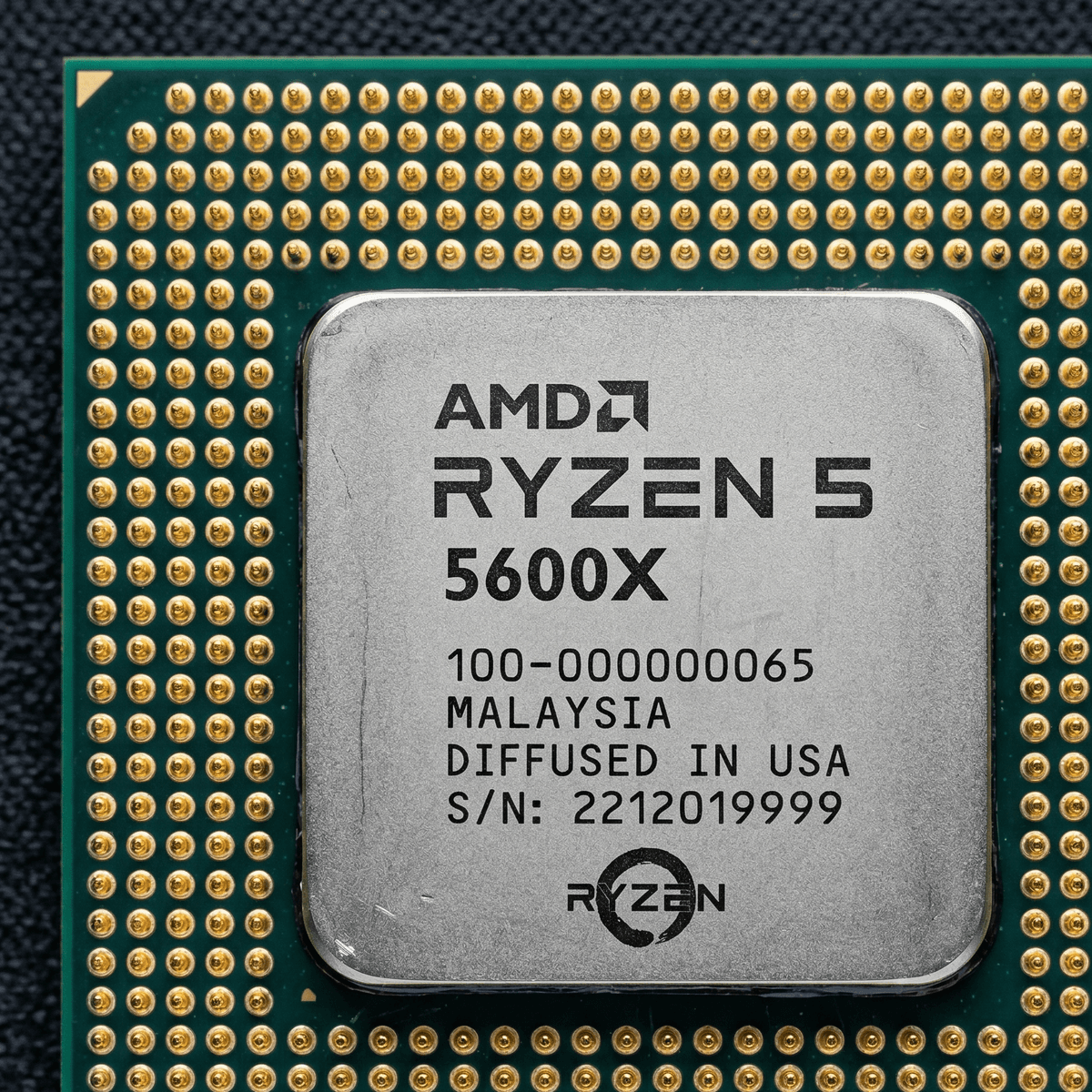
Clean contacts and a scratch-free IHS command a measurable price premium in the UK used CPU market.
How to price your CPU (2026 UK used prices)
The following are approximate UK used prices as of early 2026 for processors in good working condition with CPU-Z screenshots available. Prices at the upper end of each range assume clean condition, a benchmark result attached, and the original box.
| CPU Model | Typical UK Used Price | Notes |
|---|---|---|
| Ryzen 5 5600 | ~£55 | Budget 1080p gaming staple. High supply — price accordingly. |
| Ryzen 5 5600X | ~£65 | Slightly faster boost. Included cooler adds appeal. |
| Ryzen 7 5700X | ~£85 | 8-core AM4 sweet spot. Moves quickly at this price. |
| Ryzen 7 5800X3D | ~£130 | 3D V-Cache gaming king. Strong demand, holds value. |
| i5-12400F | ~£75 | Budget Intel LGA1700. High supply from upgrade cycles. |
| i7-12700K | ~£95 | 12-core LGA1700. Good value for buyers not yet on DDR5. |
| i5-13600K | ~£130 | 14-core hybrid architecture. Competitive against Ryzen 7000 mid-range. |
| Ryzen 9 5900X | ~£110 | 12-core AM4 workstation chip. Popular for creative workloads. |
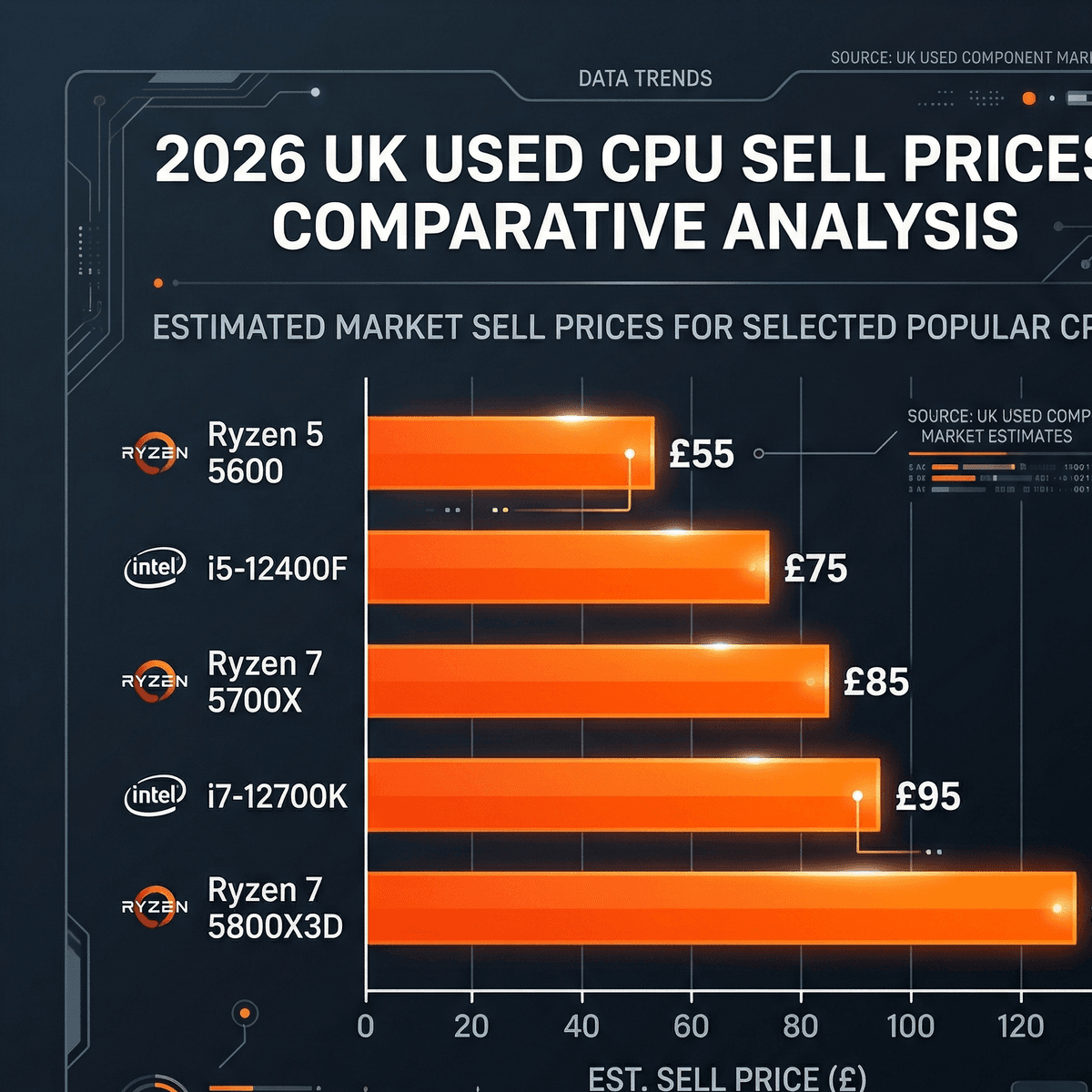
2026 indicative UK used CPU prices — always verify against eBay sold listings before posting.
How to check the actual going rate
Never price based on active asking listings — those are what sellers hope to receive. Check what buyers actually paid:
- eBay UK sold listings: Search your exact CPU model, click Filters, enable "Sold items", sort by date (most recent first). This shows real transaction prices from the last 30–90 days.
- Koukan marketplace: Browse completed CPU sales on Koukan for UK-specific pricing. Prices here tend to be more accurate to true market rate because sellers keep 100% of their sale price without artificial fee inflation.
For a complete view of what all your components are worth together, see our Used PC parts price guide UK.
Where to sell your CPU in the UK
CPUs are small, light, and easy to ship — which makes the platform choice almost entirely about fees, audience quality, and protection.
1. Koukan — 0% seller fees, PC builder audience
- Fees: 0% seller commission. Your entire sale price is yours.
- Audience: UK PC hardware enthusiasts who know exactly what a Ryzen 7 5800X3D is and what it should cost. No education required.
- Verification: Structured listing fields and seller verification mean buyers trust the platform.
- Best for: Getting maximum net return without losing money to high platform commissions or forced return risks.
2. eBay UK — largest reach, return & fee trade-offs
- Fees: 0% final value fees for private sellers, but 9.9% category fee + 0.35% regulatory fee + £0.40/order + VAT (~12%–14%) for commercial business sellers.
- Reach: The UK's largest second-hand marketplace. CPUs sell quickly when priced competitively.
- Risks: 30-day automated Money Back Guarantee overrides seller terms. Pin-swap fraud or claims of "dead memory channel" force seller-funded returns.
- Best for: Sellers who need maximum speed and can absorb the fee cut.
3. Facebook Marketplace — cash collection, low quality
- Fees: Free for local collection. Shipping sales carry fees.
- Audience: General public. Many buyers do not understand CPU platforms or socket compatibility. Expect questions like "will this fit my PC?"
- Risks: No seller protection for cash deals. High rate of time-wasters and no-shows.
- Best for: A fast cash collection when convenience matters more than price.
The bottom line: For the best net return, Koukan gives you the full sale price with an audience that understands what they are buying. eBay is the fallback when speed matters more than margin.
Writing a CPU listing that sells
A CPU listing lives or dies on specificity. Buyers cannot look at a processor and tell whether it has been overclocked to destruction or used for light office work. Your words and screenshots are the entire product story they have to work with.
What to include
- Exact model and stepping: "Ryzen 5 5600X" is not enough — include the box model number and, ideally, the CPUID from CPU-Z. Some AM4 steppings are better overclockers and command a small premium with the right buyers.
- Socket: Always state the socket — AM4, AM5, LGA1700. Do not assume the buyer knows. Buyers who are newer to PC building are part of your market too.
- Usage history: "Used for 2 years of gaming, never overclocked" is worth more than silence. If it was a work machine or render node, say so. Honest disclosure prevents disputes.
- Benchmark results: Cinebench R23 multi-core and single-core scores, or a UserBenchmark result. Include a screenshot. This proof of performance is the most powerful trust signal in a CPU listing.
- Stress test result: "Passed 15-minute Prime95 Small FFTs run with no errors" with a temperature screenshot converts hesitant buyers into confident ones.
- What is included: Cooler (and which model), original box and tray, thermal paste, documentation. Specify clearly.
Title and body format that works
Example listing title
AMD Ryzen 7 5800X3D AM4 — Gaming CPU — Tested, Passes Prime95 — Original Box — UK Seller
Example listing body
AMD Ryzen 7 5800X3D, AM4 socket. Used for approximately 18 months of gaming at stock settings — never overclocked. Passes 15-minute Prime95 Small FFTs run with no errors, max temp 74°C (screenshot in photos). Cinebench R23 multi-core: 14,200 (screenshot attached). Includes original AMD box, tray, and documentation. No cooler included. Ships Royal Mail Special Delivery, insured.
Photos to take for a CPU listing
CPU photography is different from GPU photography — the chip is small, often visually unexciting, and the important details (contact points, IHS condition) are millimetres across. These are the shots that actually matter to buyers.
- IHS top-down shot: The hero shot. Full overhead view of the IHS under bright, diffuse light. An LED desk lamp works better than a flash, which creates distracting reflections on the metal surface.
- Contact/socket side: For AMD (AM4/AM5) chips, photograph the contact pad array from a low angle so individual pads are distinguishable. This is where buyers check for damage. For Intel chips, photograph the flat contact lands from above.
- Original box (if present): A photo of the original box showing the model label adds £5–£10 to buyer perception immediately. Include the foam tray if you have it.
- CPU-Z screenshot: Include this directly in your listing photo gallery — either photographed on a monitor or attached as an image file. It confirms identity and authenticity.
- Temperature/stress test screenshot: A screenshot of HWiNFO or HWMonitor during the Prime95 run — showing temperatures, power draw, and clocks — closes hesitant buyers more effectively than any written claim.
Photo mistake to avoid
Never photograph a CPU on an unsuitable surface — bare metal, carpet, or a cluttered desk. Use the original foam tray if you have it, or place it on a clean piece of dark cloth. The surface signals how carefully you have handled the chip.
How to package and ship a CPU safely
CPUs are small and lightweight — but they are not robust. Electrostatic discharge can silently damage a chip even without physical contact, and a dropped package can bend the socket pins on an LGA motherboard. Proper packaging is not optional.
Step-by-step CPU packaging
- Anti-static bag first: Always. Place the CPU in an anti-static bag and seal it. These cost under £2 from Amazon or any electronics supplier. Never place a bare CPU directly in bubble wrap or a cardboard box.
- Use the original tray and box: AMD CPUs ship with a plastic tray that holds the chip securely. Intel CPUs come with a hinged plastic clamshell. These are the ideal first layer of protection. If you still have the original box and foam, use it.
- If no original box — use firm foam: Place the bagged CPU in a small rigid box lined with dense foam or closed-cell foam padding. The chip must not be able to move inside the inner packaging.
- Outer cardboard box: Place the inner package inside a padded jiffy bag or small cardboard box with 2–3cm of bubble wrap on all sides. Shake the outer package — if anything moves, add more padding.
- Seal with strong parcel tape. Mark the outer packaging "FRAGILE" — it is unlikely to be fully honoured by couriers, but it is worth doing.
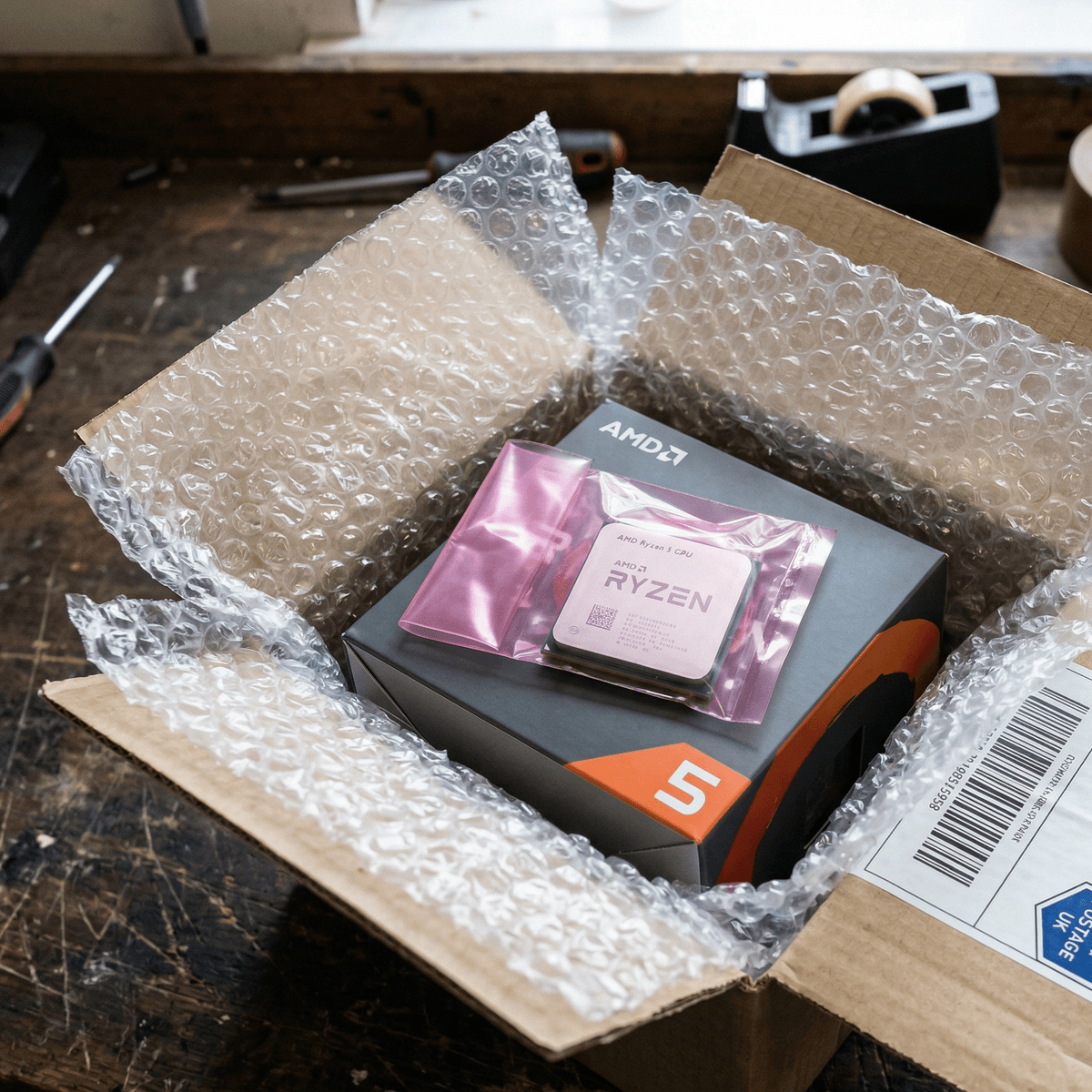
CPUs weigh next to nothing — the packaging cost is trivial relative to the chip value. Do it properly.
UK shipping options for CPUs
A packaged CPU typically weighs under 300g. You have several affordable, tracked options:
| Service | Approx. Cost | Insurance | Notes |
|---|---|---|---|
| Royal Mail Special Delivery | £7–£9 | Up to £500 | Best option. Next-day, tracked, signed for. Recommended for any CPU over £50. |
| Royal Mail Tracked 24 | £3.50–£5 | Up to £100 | Adequate for budget CPUs under £60. Tracked but not signed-for. |
| Evri / DPD | £3–£6 | Varies | Cheaper but lower standard cover. Purchase additional insurance for chips over £70. |
For a CPU worth over £80, Royal Mail Special Delivery is the right choice. The extra £3–£4 over Tracked 24 buys you a signature on delivery (proof of receipt), next-day service, and up to £500 of insurance — all of which protect you if a buyer claims non-delivery.
Frequently asked questions
Do I need to include a cooler when selling a CPU?
No — but it helps. If you have the boxed cooler that came with the processor (AMD Wraith series or Intel laminar cooler), including it makes the listing more attractive to budget builders starting from scratch. A bundled cooler can add £5–£15 to your sale price. If you upgraded to an aftermarket cooler and no longer have the stock one, simply state this clearly in your listing. Many buyers already have coolers and do not need one.
Should I sell my CPU with the motherboard?
Selling as a CPU and motherboard bundle can increase the total amount you receive — but it also narrows your buyer pool significantly. A bundle works best when the CPU and motherboard are the same generation and roughly the same tier. Buyers who want just the CPU (to drop into an existing build) will not engage with a bundle, and buyers who want a full platform are often looking for a complete system. See our guide on how to sell used PC parts in the UK for bundle strategy.
How long does a used CPU take to sell in the UK?
A competitively priced AM4 or LGA1700 CPU with a CPU-Z screenshot typically sells within 3–7 days on active platforms. The Ryzen 7 5800X3D is a notable exception — its gaming reputation makes it one of the fastest-selling used CPUs in the UK market, often finding a buyer within 24–48 hours. Budget chips like the Ryzen 5 5600 see high supply, so pricing aggressively — within £5 of the lowest comparable sold listing — is key.
Can I sell a CPU that has been overclocked?
Yes — and full, upfront disclosure is expected. State in your listing whether the CPU was overclocked, at what frequency, and for how long. A CPU that ran a moderate, stable overclock for 2 years is still a quality purchase for most buyers. Hiding it risks a dispute; disclosing it honestly means most informed buyers will not care, as long as the price reflects the history. Include your stress test results to demonstrate the chip is still healthy.
What if a buyer claims the CPU is faulty after receiving it?
Your pre-sale documentation is your protection. A CPU-Z screenshot, a Cinebench result, and a Prime95 stress test — all taken immediately before shipping — combined with tracked, signed-for delivery evidence is a strong defence. Use the platform's dispute resolution process. On Koukan, the seller verification system provides an additional layer of protection versus unmediated peer-to-peer sales. This is why documenting the chip's condition before every sale is non-negotiable.
Ready to sell? List your CPU on Koukan
You have checked the chip, captured the screenshots, photographed it properly, and know the going rate. Now list it where UK PC builders are actually looking — and keep every penny of the sale price.
Koukan charges 0% seller fees. Your listing reaches UK PC hardware enthusiasts who know exactly what a Ryzen 7 5800X3D or i7-12700K is worth. No hefty commercial cuts, no algorithm games, no uncontrolled return fraud. A clean listing, a knowledgeable buyer, a fair deal.
Looking to value your full build? Used PC parts price guide UK covers every component. Wondering what your graphics card is worth too? How much is my GPU worth?
CPU seller's checklist
- 01Check the timing. AM4 and LGA1700 windows are still open in early 2026 — do not wait.
- 02Run CPU-Z. Screenshot the main panel and include it in your listing photos.
- 03Stress test for 10–15 minutes. Screenshot temperatures and clocks during the Prime95 run.
- 04Price from eBay sold listings. Not asking prices — sold prices only, sorted by most recent.
- 05Photograph IHS, contact side, and original box. Add CPU-Z and stress test screenshots to the photo gallery.
- 06Disclose overclocking history honestly. It prevents disputes and reassures knowledgeable buyers.
- 07Anti-static bag, original tray, padded outer box. Ship with Royal Mail Special Delivery for anything over £80.
- 08Never ship before payment clears. Verify funds in your banking app — not via email or screenshots.
Advertisement